TinEye alternative for face search and people search
TinEye is useful for finding image copies in a large database, but Surfface is built to search faces, verify people, and uncover public identity context from a photo.
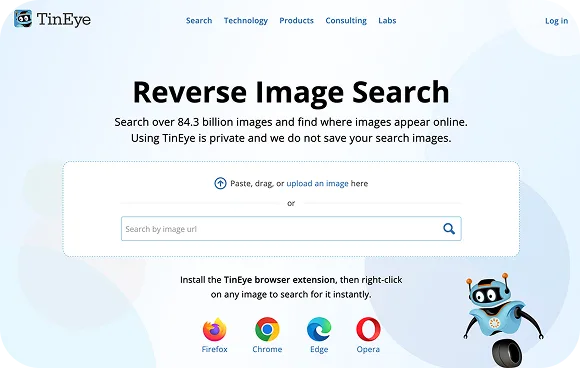

TinEye vs Surfface: What is the difference?
TinEye is useful for finding where an image appears online, modified copies, or higher-resolution versions. But face search is different. When you need to search for a person, the same face may appear in different photos, crops, lighting, backgrounds, hairstyles, or profiles.
When your goal is to search for a person, an exact image match is often not enough. The same person may appear in different photos, with a different crop, different lighting, a different background, a changed hairstyle, or on a public profile where the original photo does not appear.
TinEye may help if the same image is indexed. Surfface is built to answer a deeper question:
“Where else does this person appear across public online sources?”
Surfface combines reverse image matching, face-focused search, facial similarity signals, age and gender detection, public profile discovery, and U.S. public-record search.
Learn more about how our search process worksIt also uses its own index and orchestrates third-party discovery tools, then adds face-focused ranking, filtering, and public-record context.
That is why Surfface is not just another reverse image search tool. It is a comprehensive face search platform.
Learn more about our reverse image search for peopleWhy TinEye can feel outdated, even with a large image database
A large image database sounds impressive, but database size alone does not solve people search. If a reverse image search tool mainly looks for the same image, it can miss the same person in a different photo. It can also return old or broken links, fail to surface useful social profile context, or show no results even when the person appears elsewhere online.
That is why many users searching for a TinEye alternative are not only looking for another image search engine. They are looking for a tool that understands the person-focused intent behind the search.
Surfface is built around that intent. It does not stop at asking, “Where does this exact picture appear?” It asks: “Can this face be connected to public online sources?”
That difference matters when you are checking a suspicious dating profile, investigating possible impersonation, verifying someone you met online, or trying to understand whether a public photo connects to criminal records, mugshots, or sex offender records.

A photo can tell you more than a name
Upload a face photo and search public online sources, social profiles, image matches, and U.S. public records with Surfface.
Stay informed. Verify before you trust.
Comparison matrix: TinEye vs Surfface
TinEye is a good choice when you want to trace an image. Surfface is the better choice when the image contains a person and you need deeper face-focused search, social profile discovery, or U.S. public-record context.
| Search need | TinEye | |
|---|---|---|
| Best for | Finding where the same image or a modified copy appears online | Searching for a person by face and uncovering public identity context |
| Main search focus | The image file | The person in the image |
| Image-copy search | Strong for exact and near-duplicate image matches | Included as part of a broader people-search workflow |
| Large image database | Yes, TinEye has a large declared image index | Surfface combines its own index with third-party discovery services and public-source search |
| Face search | Not built for finding the same person across different photos | Built for face-focused discovery and people search by photo |
| Different photos of the same person | Limited, especially if the exact image is not indexed | Designed to search beyond the exact uploaded photo |
| Social profile discovery | Limited to pages where matching images appear | Helps discover public social profile signals connected to a face |
| Dating profile checks | May help if the exact stolen photo appears online | Better suited for checking suspicious profiles, reused faces, and possible catfishing |
| Impersonation checks | Limited to image reuse detection | Helps check whether a face appears under other names, profiles, or public sources |
| Criminal records | Not included | Searches U.S. public criminal-record sources when available |
| Mugshot search by photo | Not included | Supports mugshot search by face across indexed U.S. public sources |
| Sex offender records | Not included | Searches U.S. registered offender records when available |
| Public-record context | Not included | Adds public-record context to face search results |
| Search result value | Shows where an image may appear | Helps connect a face to public profiles, image matches, and records |
| Best user question | “Where is this image used?” | “Who is this person, and what public information is connected to this face?” |
When to use TinEye vs Surfface
Use TinEye when your question is about the image itself. For example, you may want to find where a picture was reused, locate a higher-resolution copy, check whether an image was edited, or trace the source of a visual asset.
Use Surfface when your question is about the person in the image. Surfface is built for reverse image search by face, people search by photo, catfish image search, social profile discovery, criminal records search, mugshot search, and sex offender checks from a photo.
TinEye is a strong tool for general image search. Surfface is the better choice when you need people search by photo across public U.S. sources, news, articles and social media.
Learn more about sex offender checksLearn more about our criminal records searchLearn more about catfishing and impersonation scams
Looking for a TinEye alternative for face search?
Surfface is built for people search by photo, helping you find public profiles, records, and possible red flags from a face.
Better context starts with a face check.