Facial Recognition Search: How to Find a Person Online Using a Photo
Stanley Wiggins
July 15, 2026
6 min read
A face recognition search lets you use a photo instead of a name to look for the same person across public websites. It may reveal social profiles, news articles, blogs, reused photos and U.S. public records where available.
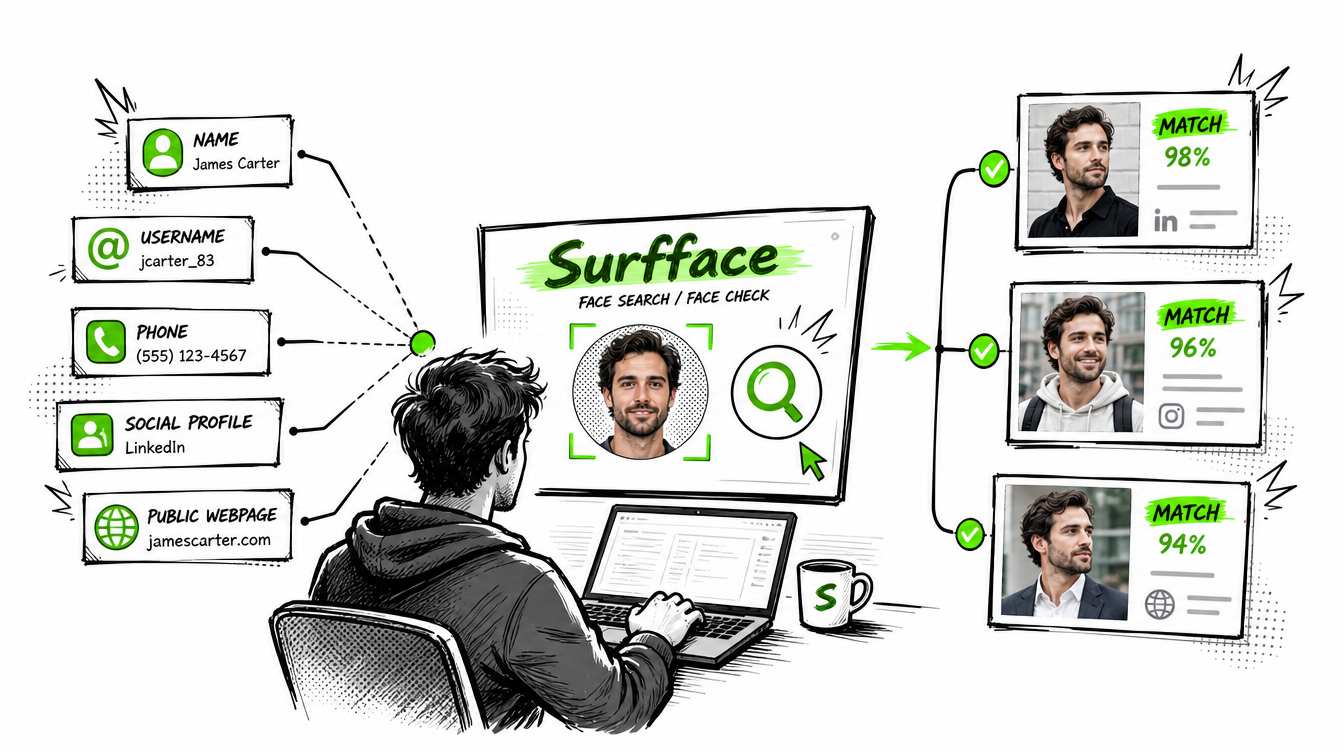
Surfface is a practical place to start because it combines its own face index with third-party tools including Google Images, Yandex Images and specialized face searches. It is especially strong for U.S.-focused research through dedicated pipelines for mugshots, criminal-record sources and registered sex offender registries.
Face search produces leads, not proof. Always open the original source and verify the name, age, location and context before drawing conclusions.
What is a face recognition search?
A face recognition search is a visual people-search method. You upload a photo and the system looks for other public images that may show the same person.
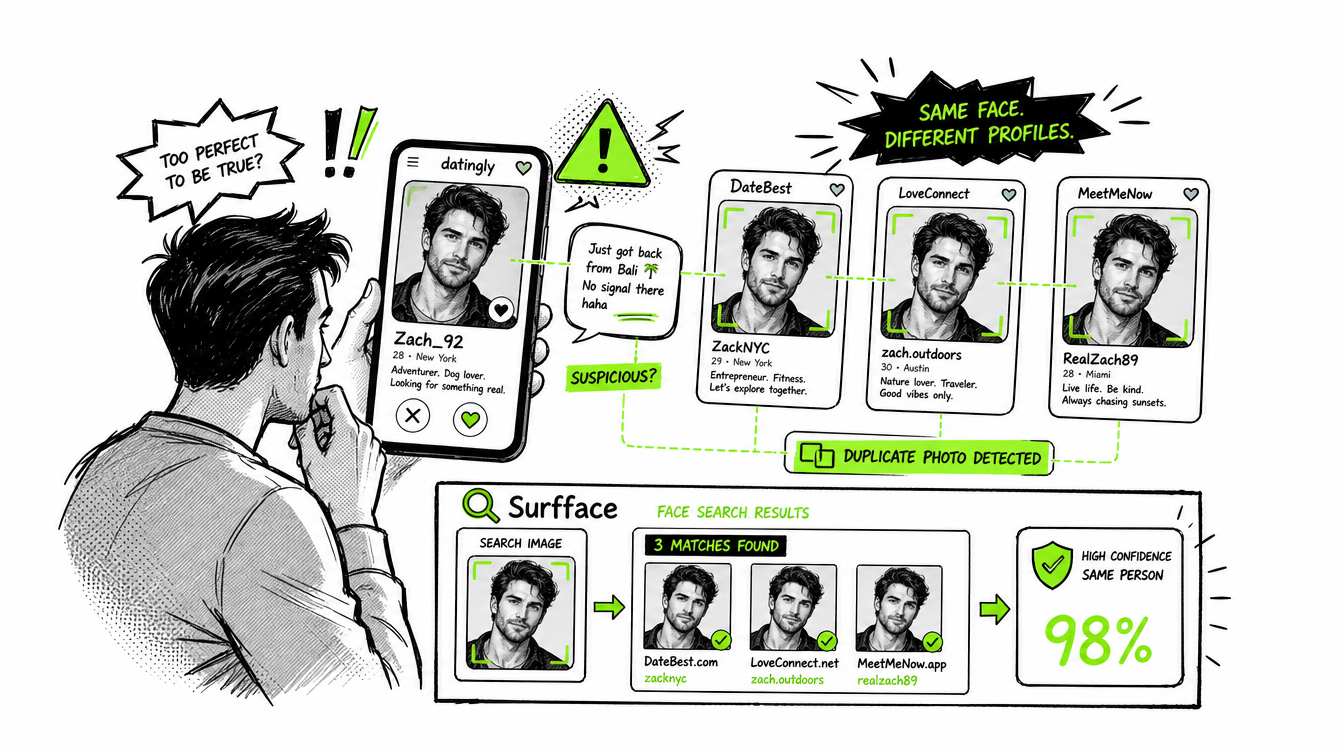
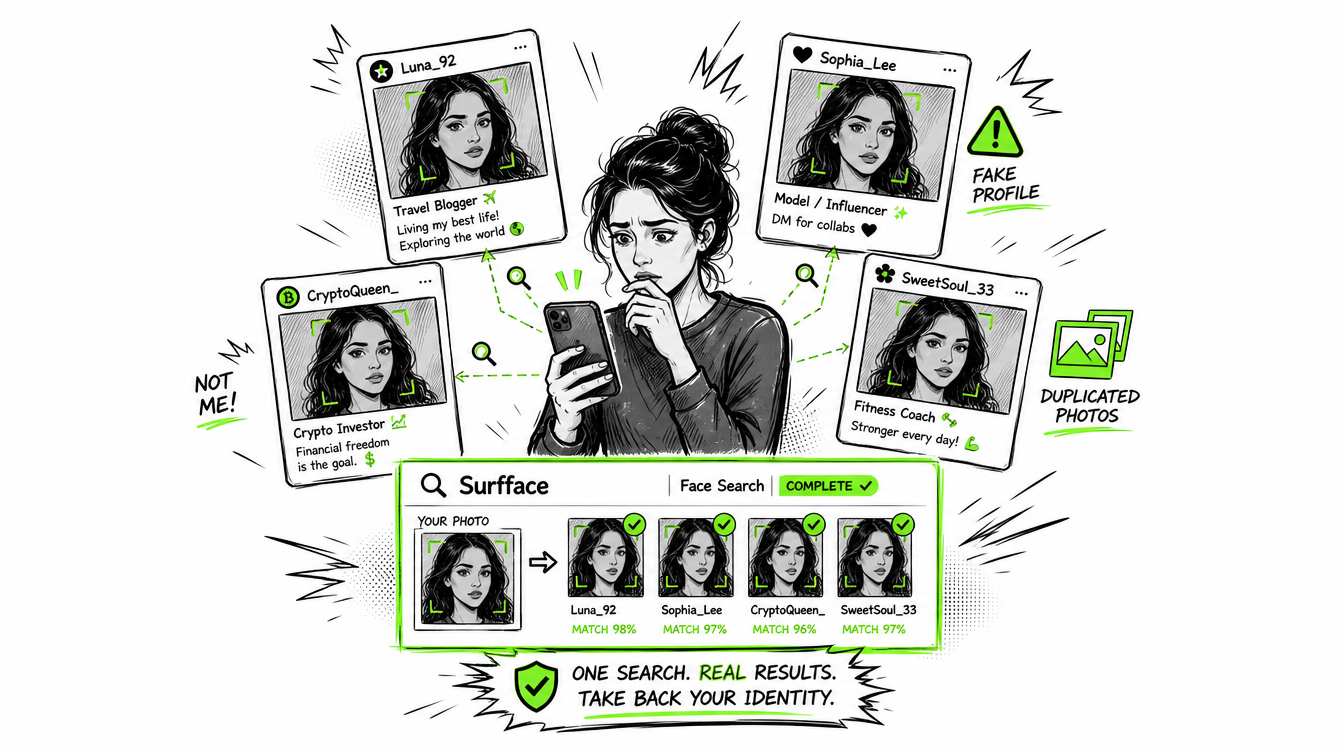
Unlike a name search, it can begin when all you have is a face. That makes it useful for checking a suspicious profile, finding stolen photos, researching an unknown person in an image or seeing where your own face appears online.
A face recognition image search does not unlock private accounts or hidden records. It searches material that is public and accessible to the system.
How face recognition technology works
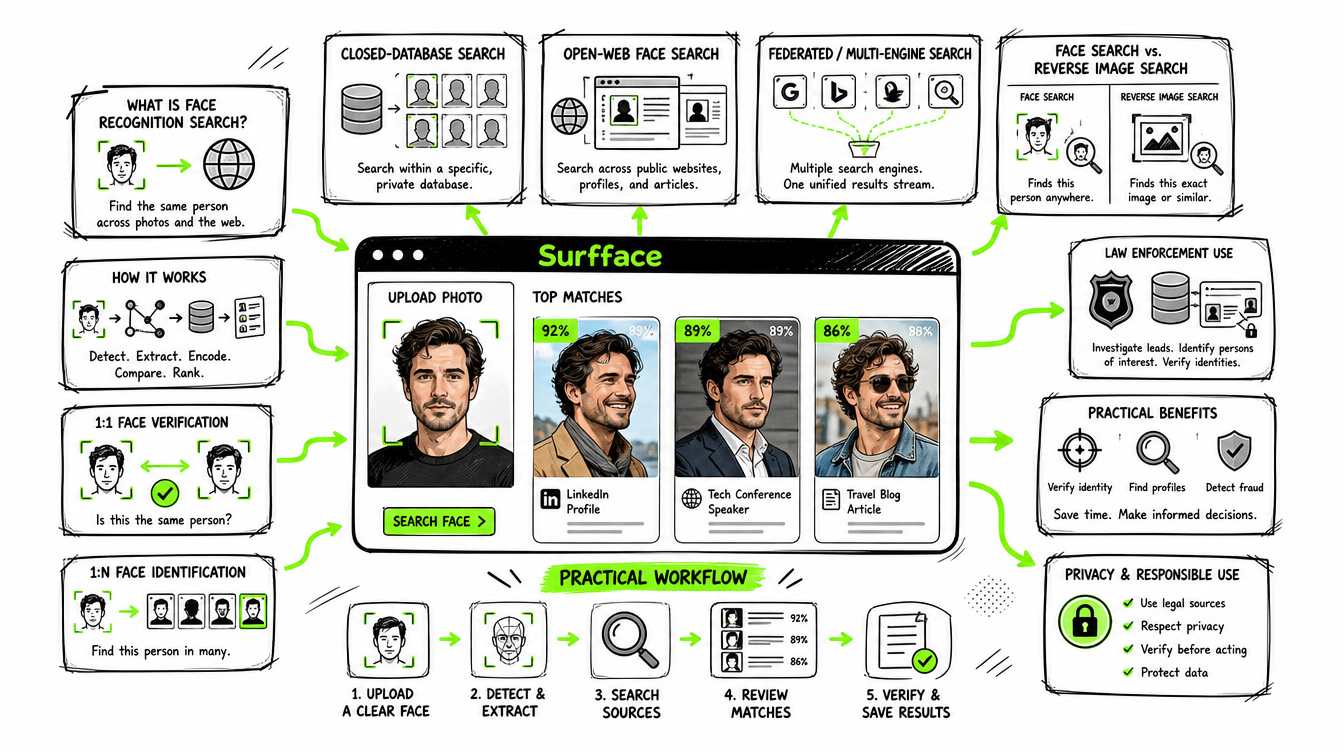
Modern face recognition usually follows a short technical pipeline:
- Face detection: The software locates one or more faces inside the image.
- Alignment and quality checks: It adjusts for angle, crop and position and checks whether the face is clear enough to search.
- Feature encoding: A neural network converts the face into a numerical representation often called an embedding or template.
- Similarity search: The system compares that representation with faces in an index and retrieves the nearest candidates.
- Ranking and verification: Results are ranked by similarity and may be reranked using image quality, context, source type and other signals.
The system is not simply comparing eye color or measuring the distance between a few facial landmarks. Older approaches relied more heavily on handcrafted measurements, local patterns or methods such as eigenfaces. Modern systems usually use deep neural networks trained to place images of the same person close together in a mathematical feature space even when lighting, pose, age or hairstyle changes.
The main face recognition architectures
Not every face recognition software search engine works the same way.
- 1:1 verification
A system compares one face with one claimed identity. This is common in phone unlocking, airport checks and identity verification. The question is: “Is this the same person?” - 1 identification
A system compares one uploaded face against a large database and returns ranked candidates. The question is: “Who might this be?” Internet face recognition search and law-enforcement investigative searches usually follow this model. - Closed-database search
The system searches a controlled collection such as employee photos, passport images or mugshots. Coverage can be strong inside that database but it cannot find images outside it. - Open-web face search
The provider builds its own index from public web pages and searches faces within that index. Coverage depends on what the service has collected and kept current. - Federated or multi-engine search
The service combines its own index with other discovery tools. Surfface uses this broader architecture by joining its own face index with Google Images, Yandex Images and other specialized services. This reduces dependence on one database and makes it easier to check several search paths from one place.
How Surfface approaches face search differently
Surfface does not rely on one face database or one matching method. It runs two search lanes in parallel. The image-led lane checks Surfface’s own index for exact and near-duplicate images then sends searches to external tools including Google Images and Yandex Images. The knowledge-led lane searches public names, aliases, usernames, locations, social profiles, news and other context linked to the person or photo. Findings from each lane feed back into the other which helps uncover connections that a standard face search may miss.
Most Surfface searches use non-biometric facial analysis rather than persistent faceprints. The system compares broad visible traits such as hair color, glasses, approximate age and face shape then applies its Perceptual Lookalike Ranking model to prioritize candidates that appear most similar. It also evaluates captions, dates, locations, names and account context so its similarity score reflects more than facial resemblance alone.
In rare cases where a small candidate set remains unclear, Surfface may use facial recognition only when legally permitted. Any face embeddings are kept temporarily during that search then immediately discarded. This compliance-first architecture combines reverse image search, public-data research, non-biometric analysis and limited case-specific recognition instead of depending on a permanent biometric database. Learn more about Surfface search approach.
How law enforcement uses facial recognition
Facial recognition has long been used by law enforcement as an investigative tool. The FBI’s Next Generation Identification Interstate Photo System allows authorized agencies to submit a probe photo, search more than 30 million criminal mugshots and receive a ranked list of possible candidates. The FBI describes those results as investigative leads rather than automatic identifications.
ICE also actively uses facial recognition services. Its Homeland Security Investigations division can analyze photos of suspected offenders, victims and other people connected to investigations then search for public images and identifying information that would be difficult to find manually. DHS reports that facial recognition helps ICE investigators reduce the time required to search online images and associated data.
The technology is used more broadly across federal law enforcement. Agencies within the Department of Homeland Security and Department of Justice use government systems and third-party facial recognition services to support criminal investigations, border security and identity checks. These searches can narrow thousands or millions of images to a shortlist but trained investigators must still confirm the identity using additional evidence.
The important shift is accessibility. Technology once associated mainly with government systems, border control and large security teams is now available to ordinary consumers. A person can run a free face recognition search before meeting someone, check whether a profile photo is stolen or monitor where their own face appears online.
Surfface also makes photo-based searches of publicly available U.S. records more accessible. Users can check possible face matches in mugshot sources and registered sex offender registries where available. This can add useful context when a name is unknown or unreliable.
Consumer access does not remove the need for caution. Search results can be incomplete and false matches are possible. Any public-record match should be verified through the original official source.
Face recognition search vs reverse image search
A general reverse image search and a face recognition reverse image search solve different problems.
Google Lens, Bing Visual Search, Yandex Images and TinEye often analyze the whole picture. They are strong at finding exact copies, resized versions, crops, products, text, landmarks and visually similar scenes.
Face recognition focuses on the person inside the picture. It attempts to find the same face across different photos even when the background, clothing, crop, lighting or hairstyle has changed.
For example, a scammer may use a photo that has never been reposted elsewhere. A normal reverse image search may find nothing because there is no duplicate. A face recognition picture search may still find other photos of the person on a public profile or article.
The most effective approach is to use both:
- Run a face-focused search to find the same person in different images.
- Run a general reverse image search to find exact copies and the original page.
- Compare names, dates, locations and usernames across the results.
How to run a practical face recognition search
1. Choose the best photo
Use a clear image with one visible adult face. Avoid sunglasses, heavy filters, extreme angles and tiny screenshots. A front-facing or slightly angled portrait usually works best.
2. Start with Surfface
Upload the image and run the free face recognition search. Surfface is useful when a photo is your only clue because it searches its own index and connects several external search paths.
3. Review several candidates
Do not trust the first thumbnail. Compare the eyes, nose, ears, jawline, hairline and approximate age. Look for the same person across more than one independent source.
4. Verify the context
Open the source and check the name, city, age, occupation and timeline. A strong visual match with conflicting personal details may still be the wrong person.
5. Search the new clues
Once you find a possible name or username, continue with conventional search, social platform search and relevant official records.
What a face search can and cannot tell you
A successful search may show that a face appears under another name, on an older profile, in a news article or in a public-record source. That can help uncover impersonation, catfishing, identity conflicts or missing context.
It cannot prove guilt, confirm identity with certainty or replace an official background check. It also cannot access private profiles or content blocked from indexing.
For mugshot or sex offender results, verify the person through the original official source and compare full identifying details. Surfface is a public-data search tool, not a consumer reporting agency or official screening service.
Start with the face, then verify the person
When you have no reliable name, phone number or username, the photo itself may be the best starting clue.
Use Surfface to search its own face index and multiple external tools from one place. Review the strongest matches, open the sources and verify every important detail. A face recognition search can reveal valuable public evidence but the final judgment should always come from careful human review.

Stanley Wiggins
Stan leads product marketing at Surfface, bringing a mix of experience in OSINT and private investigations, along with expertise in digital marketing and product management.