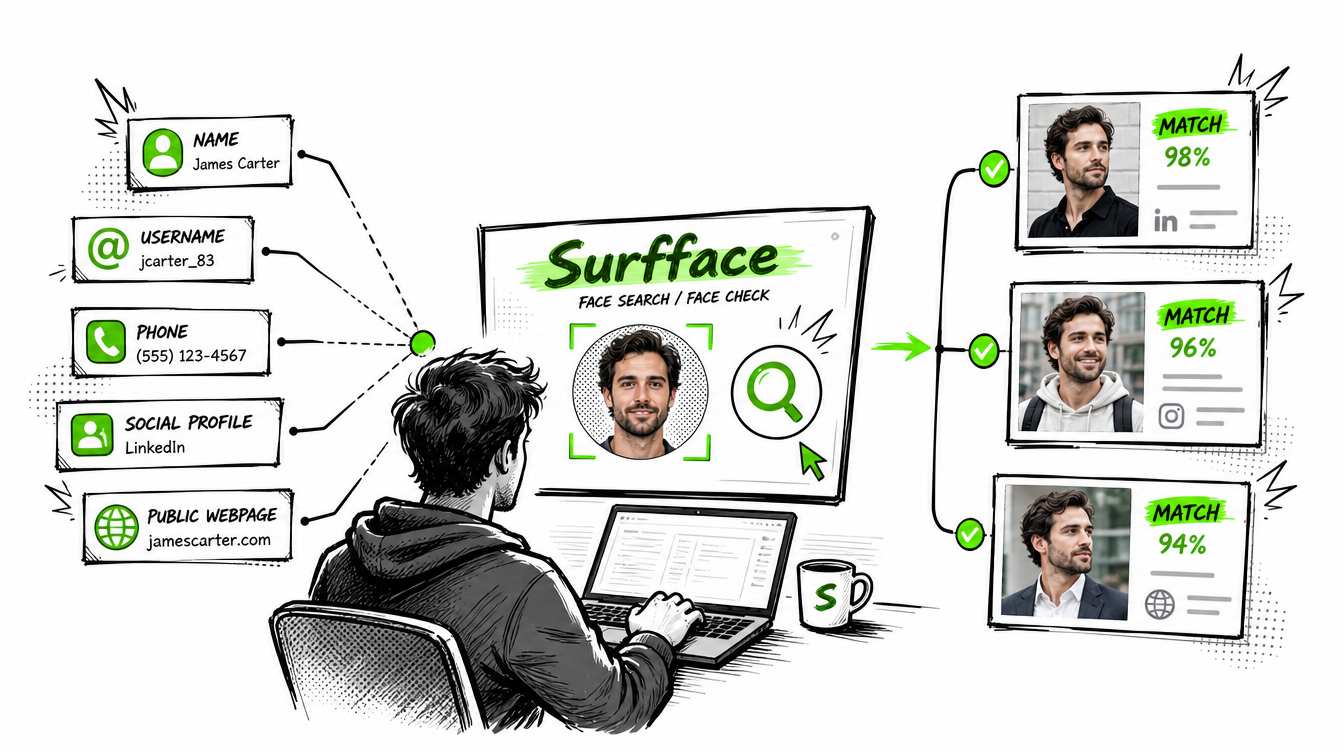
People Search Service Guide: Name Lookup, Phone Lookup, Email Lookup and Face Search
Stanley Wiggins
August 12, 2026
12 min read
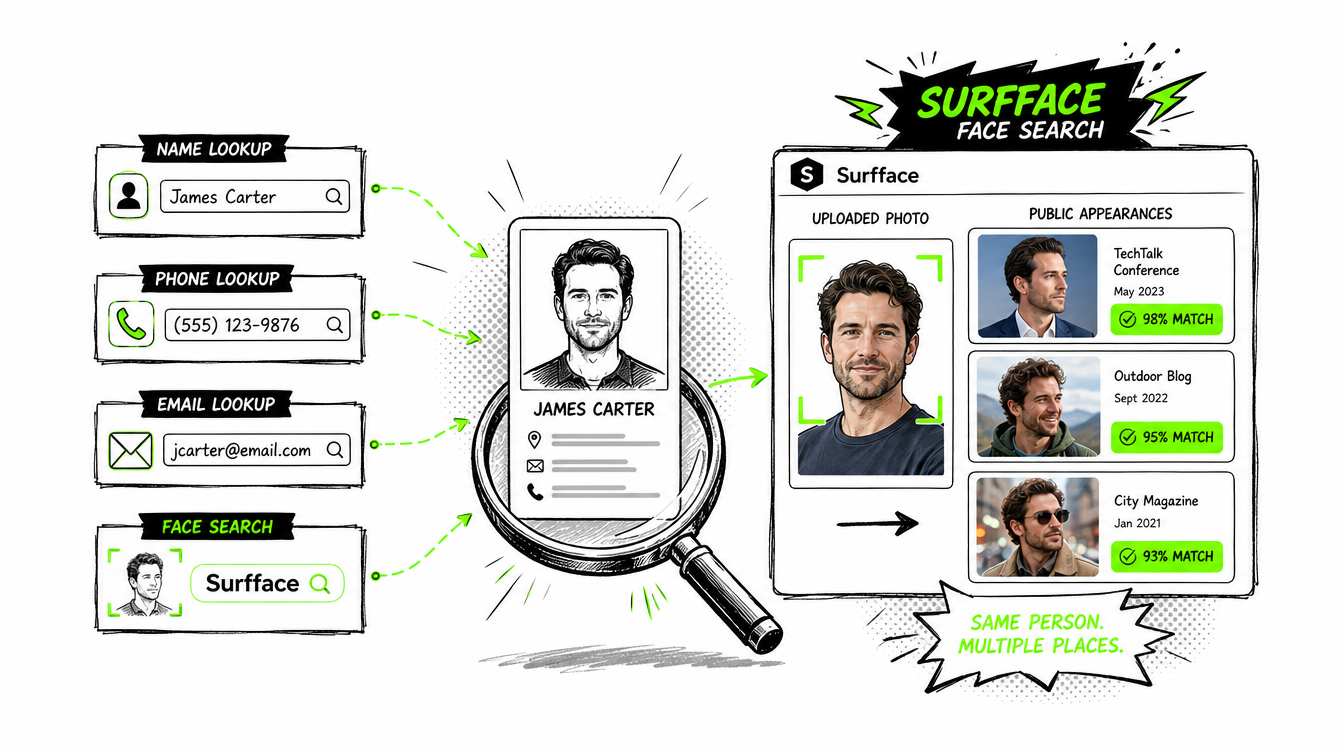
A people search service helps you find information connected to a person. The best tool depends on what you already have: a name, phone number, email, username, address or face photo.
If you have a name, phone, email or address, a traditional people search service can help. If you need professional contact data, HR screening or sales prospecting, use a business-grade tool built for that purpose. If all you have is a photo, start with Surfface. Surfface is a face search engine that checks where a face appears online across public websites, news, blogs, social media profiles and available U.S. public records such as mugshots and sex offender registries.
There is no single “best people search service” for every case. The best choice depends on your input, your goal and the type of decision you need to make.
What is a people search service?
A people search service is a tool that helps find information about a person by connecting clues from public records, public web pages, social profiles, data brokers and other searchable sources.
Most people search services are built around text inputs. You enter a name, phone number, email address, username or home address. The service then tries to connect that clue to a profile or report.
A modern people search engine may also use AI to clean messy data, connect duplicate records, rank likely matches, summarize reports or search by image. This is where people search AI becomes useful. It does not make the information perfect. It helps sort large amounts of public and brokered data faster.
The Federal Trade Commission describes people search sites as a type of data broker. According to the FTC, these sites may collect information from public social media profiles, other data brokers and federal, state and local government public records. They may compile that information into reports that can include names, addresses, aliases, relatives, education, employment history and public-record data.
That is the basic industry model: gather public and brokered information, match it to an identity, package it into a searchable report and sell access.
The 3 main categories of people search services
People search services can look similar from the outside but they belong to different markets. The easiest way to understand the industry is to separate consumer lookup, professional investigative infrastructure and FCRA-regulated screening.
1. Consumer people search services
Consumer people search services are built for everyday lookup. They help users search by name, phone number, email address, username, address, social profile or face photo.
This category includes traditional people search sites such as Spokeo, BeenVerified, TruthFinder, PeopleFinders and Whitepages, social media people search tools such as Social Catfish, phone lookup tools, email lookup tools, reverse image search tools and face search engines such as Surfface. The difference is not the market. The difference is the input.
A name-based people search service works best when you have a real name and location. A phone lookup tool works best when you have an unknown number. An email lookup tool works best when the email address is the strongest clue. Social media people search works best when you have a username or public profile. Surfface works best when the strongest clue is a face photo.
This is why Surfface belongs in the consumer people search workflow. Most people search services start with text. Surfface starts with the face. It checks where a face appears online across public websites, news, blogs, social media profiles and available U.S. public records such as mugshots and sex offender registries.
Use this category when your goal is personal discovery, identity clues, social profile checking, unknown caller checks, email lookup, public web search or safety-oriented verification. Do not use it for employment, housing, credit, insurance or other regulated eligibility decisions.
2. Professional and investigative layer
The professional and investigative layer is a different market. LexisNexis Accurint, Thomson Reuters CLEAR, Tracers, TransUnion TLOxp, IDI idiCORE and IRBsearch are built around deeper public and proprietary data access, entity linking and investigative workflows for legal, fraud, collections, government and corporate users.
These tools are closer to investigative infrastructure than consumer lookup sites. They are designed for trained users who need to connect people, addresses, phones, assets, businesses, relatives, records and risk signals across larger datasets.
This layer is used by investigators, law firms, fraud teams, collections teams, compliance teams, insurers, government agencies and corporate security teams. The goal is not casual people search. The goal is structured investigation, identity resolution and case work.
Surfface is also be used alongside professional tools when the face is the missing link. For investigators, journalists and fraud or security teams, face search helps connect a person to public web appearances, social profiles, news mentions or available U.S. public-record leads when names, phones, emails or aliases are incomplete, false or unknown.
The main advantage is depth. The main limit is access. These platforms are usually not built for casual consumers and may require business verification, permissible use, contracts or compliance review.
3. FCRA-regulated screening
FCRA-regulated screening is yet another layer. Checkr, HireRight, Sterling and First Advantage are major current brands in employment and tenant-style screening. These services emphasize verifications, criminal screening, identity checks, employment checks, education checks, driving records and regulatory workflows rather than ad hoc personal lookups.
This is the category that employers, landlords and platforms should use when they are making eligibility decisions. In the U.S., employment background checks are consumer reports when they are used for hiring, retention, promotion or reassignment decisions. Employers using consumer reports for employment decisions must comply with the Fair Credit Reporting Act, including notice, permission and adverse-action requirements.
This distinction matters. A consumer people search service or face search engine can help with public identity clues. It should not be used as a shortcut for regulated screening.
Surfface is not a consumer reporting agency and not an official background check service. Use it for public web discovery and personal safety checks, not for employment, housing, credit, insurance or tenant eligibility decisions.
People Search Outside the U.S.
Outside the U.S., the market becomes more regional and function-specific. In the UK, 192.com is still a notable people-finder built around electoral roll, phone and company-record style inputs. Globally, Truecaller is a major reverse-phone identity layer driven by caller ID, spam detection and community labeling. Pipl sits in the enterprise identity-resolution market rather than the consumer lookup market.
Global people search is structurally harder than U.S. people search. Europe’s GDPR treats data protection as a fundamental right and created a broad legal framework for personal-data processing across the EU and EEA. China’s PIPL also places strict rules on personal information processing and took effect in 2021.
This is why many “global people search” tools are uneven. Data access, public-record availability, privacy law, consent rules and enforcement vary by country. A USA people search service may be strong in U.S. records but weak in Europe or China. A phone lookup tool may work globally but return different levels of detail by region. A face search engine may find public web matches but still cannot access private accounts or restricted databases.
How the people search industry works
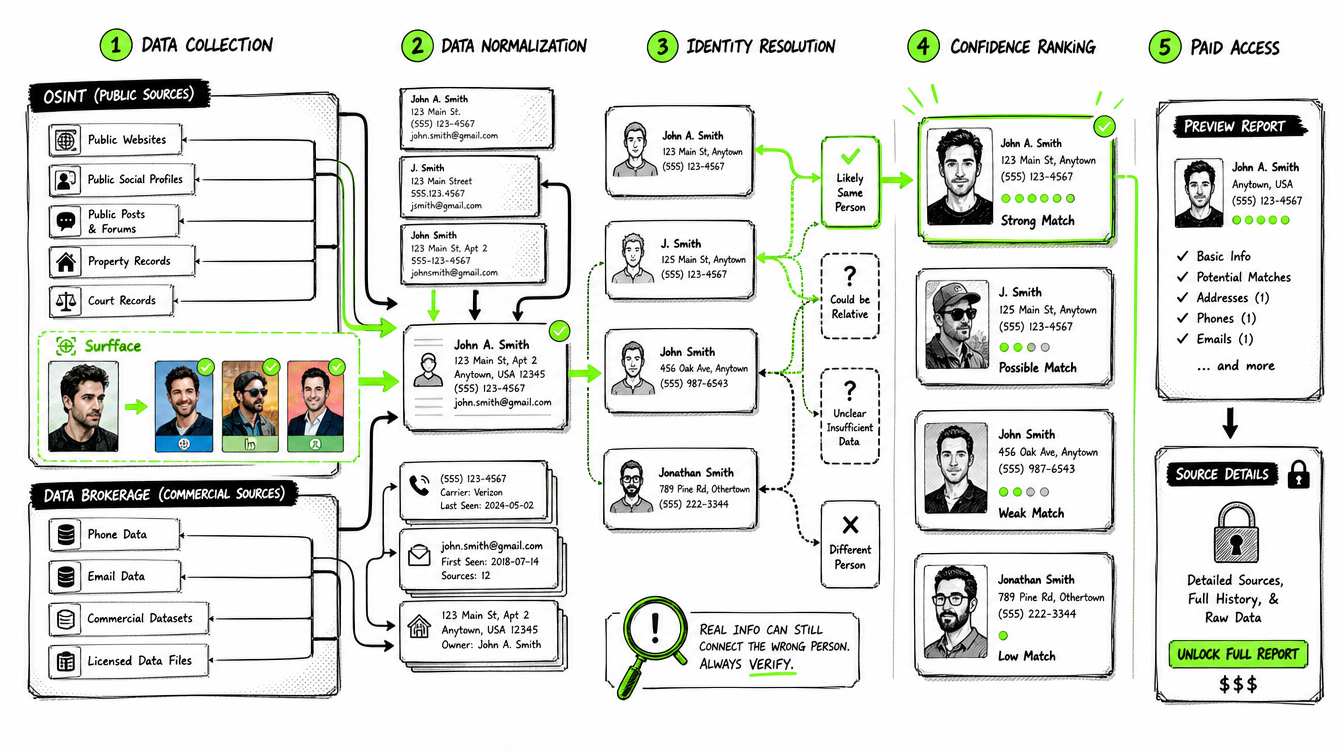
Most people search is built from two worlds: OSINT and data brokerage.
OSINT means open-source intelligence. In this context, it usually means information that is publicly accessible, such as public websites, public profiles, public posts, public records and indexed web pages.
Data brokerage means collecting, buying, licensing, combining and reselling personal or professional information.
A people search service usually works through five layers.
- It collects data. Sources may include public records, social profiles, websites, professional directories, marketing databases, property records, court records, phone data, email data and other brokered datasets.
- It normalizes the data. Names are cleaned. Addresses are standardized. Phone numbers are formatted. Emails are grouped. Duplicate records are removed or merged.
- It tries to resolve identity. This is the hard part. The system must decide whether “John A. Smith in Phoenix” and “J. Smith in Mesa” are the same person, a relative or a different person entirely.
- It ranks confidence. Some matches are strong. Others are only possible. A good people search engine should make this distinction clear.
- It sells access. Many services show a preview first, then ask users to pay to unlock the full report, source details or contact information.
This model explains why results can be useful but imperfect. A report can contain real data and still be misleading if the tool connected the wrong records.
What can you search by?
A people search service usually starts with one of these inputs.
The most practical question is not “Which service is best?” It is “What clue do I have?”
If the clue is a phone number, use phone lookup. If the clue is an email, use email lookup. If the clue is a face photo, use Surfface.
Name lookup: Useful but often noisy
Name lookup is the oldest people search workflow. You enter a first and last name, then narrow results by age, city, state, relatives or address.
It works best when the name is uncommon or when you already know a location. It becomes weaker when the person has a common name, uses aliases, recently moved, changed their last name or keeps a low public profile.
A name lookup can show possible addresses, phone numbers, relatives, public records and historical information. But it can also produce many similar profiles. This is why name search should be treated as a lead generator rather than a truth machine.
For example, a USA people search service may show ten people with the same name in the same state. The right profile may only become clear after comparing age range, known city, relatives, work history or other clues.
Phone lookup: Best for unknown numbers
Phone lookup is useful when you receive a call, text or message from a number you do not recognize. A phone lookup may show the possible owner, carrier type, location, spam signals, related names or public listings.
It is especially useful for checking unknown callers, marketplace contacts, missed calls, suspicious texts and possible scam attempts.
The limitation is simple: phone numbers are portable. They can be reassigned, spoofed, shared, hidden through VoIP services or used temporarily. A phone lookup may reveal a past owner rather than the current user.
Use phone lookup as a signal, not proof.
Email lookup: Useful for identity clues
Email lookup can connect an address to names, public accounts, old profiles, usernames or breach-related signals depending on the tool.
It is useful when someone contacts you from an unfamiliar email, when a profile uses an email handle as a username or when you want to check whether an email has any public footprint.
The strongest email clue is often the part before the @ symbol. People reuse handles across platforms. A search tool may connect that handle to public profiles or old web mentions.
The weakness is that email addresses are easy to create, abandon and hide. A scammer can use a fresh email with no history. A legitimate person may use a private email that appears nowhere public. No result is not always suspicious but it should make you look for stronger evidence.
Social media people search: Strong for public identity signals
Social media people search focuses on platforms and public profiles. It can help connect names, usernames, photos, bios, locations, schools, employers and public posts.
This is valuable because people often leave identity trails across platforms. A person may use one name on Facebook, a username on Instagram, a different handle on TikTok and a professional identity on LinkedIn.
The problem is that social media is easy to fake. Photos can be stolen. Names can be invented. Accounts can be new. Followers can be bought. Bios can be copied. A profile can look real and still be a mask.
This is where face search becomes useful. Instead of asking only “What does this profile say?” you can ask “Where else does this face appear online?”
Face search: The best start when all you have is a photo
Sometimes you do not have a name you can trust. You have a dating profile photo, a social media avatar, a screenshot, a message thread or an image someone sent you. In that case, a traditional people search service may not help because you do not have a stable text input.
Surfface solves that starting-point problem. It lets you begin with the face.
Upload a clear face photo and Surfface checks where that face appears online. It can surface public matches from websites, blogs, news pages, social profiles and available U.S. public records. That can help you discover whether the same face appears under another name, on another profile, in public mentions or in safety-relevant public record sources where available.
This is useful in practical situations:
- You are about to meet someone and want to check public identity signals.
- A profile feels suspicious and you want to see whether the face appears elsewhere.
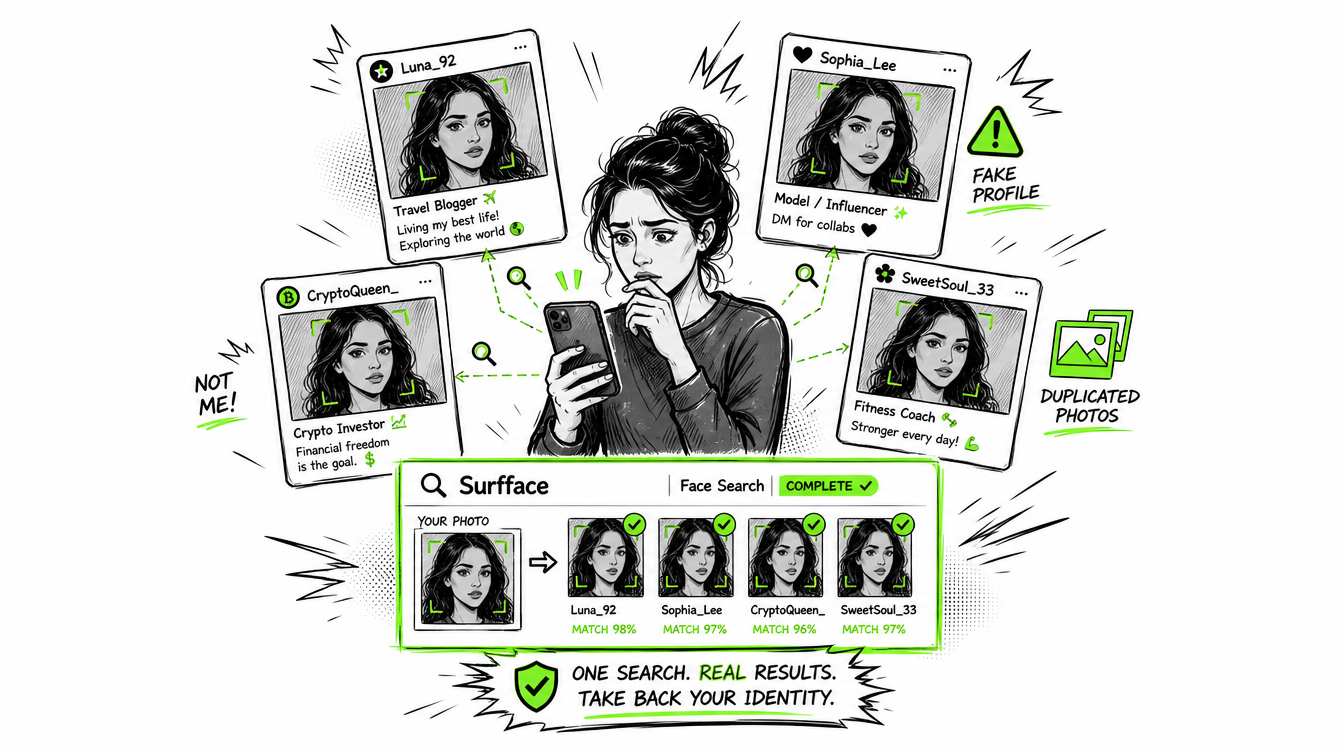
- Someone may be using your photo without permission.
- You have a face photo but no reliable name.
- You want to check whether a public profile is connected to a broader web footprint.
Surfface is not magic and it is not an official background check. It cannot open private accounts, reveal hidden messages or guarantee a full identity from one image. It gives you public leads. The value is that a face search can reveal leads that name lookup, phone lookup and email lookup miss.
People search AI: What it actually does
People search AI is often misunderstood. It does not magically know who someone is. It helps search systems process messy data.
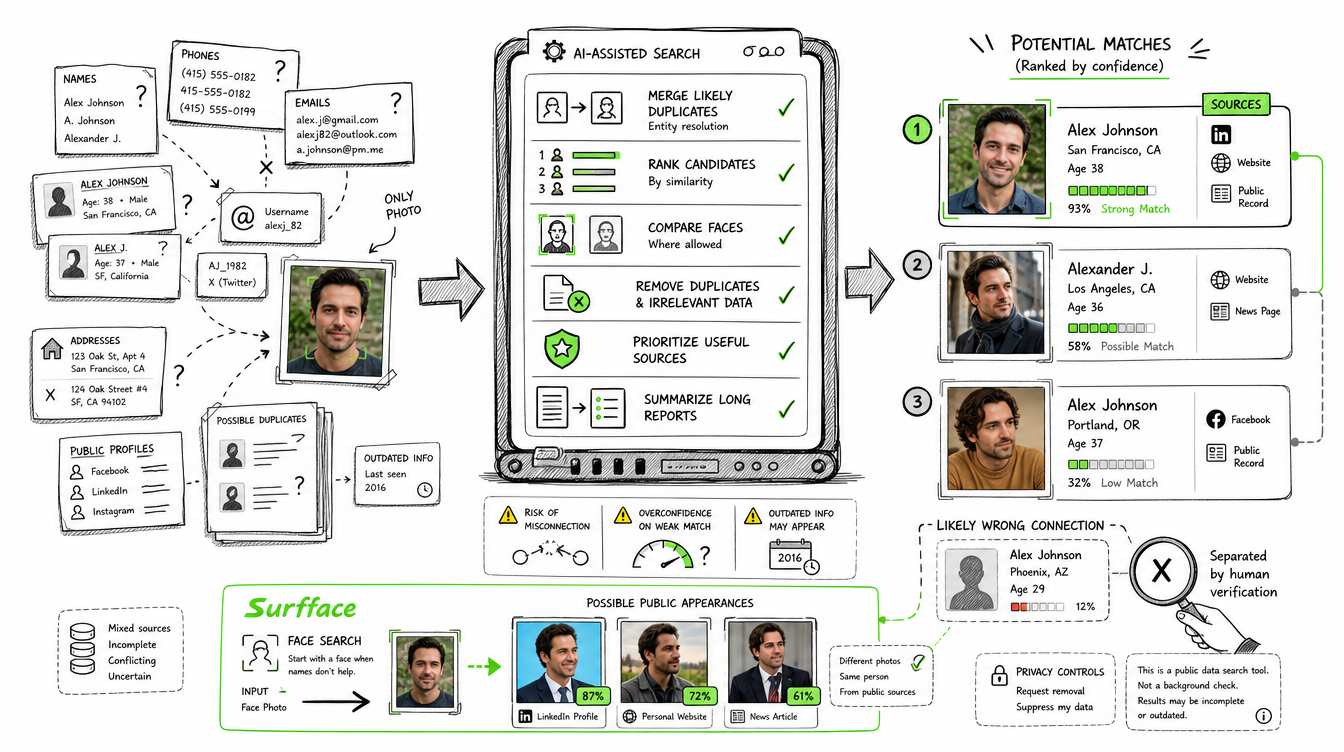
In people search services, AI can help with:
- Entity resolution: deciding whether several records probably belong to the same person.
- Similarity scoring: ranking which matches look strongest.
- Face matching: finding likely public appearances of the same face where allowed.
- Data cleanup: merging duplicate entries and reducing obvious noise.
- Source ranking: deciding which results are most useful.
- Summarization: turning long reports into readable findings.
But AI also creates risk. It can rank a wrong match too confidently. It can connect records that should stay separate. It can summarize outdated data as if it were current. It can make weak evidence feel stronger than it is.
The best people search AI does not hide uncertainty. It shows confidence, source context and limits.
How to choose a people search service
A good people search service should be clear about what it searches, what it does not search and how results should be used.
Look for these qualities:
- Clear input type. The service should explain whether it searches by name, phone, email, address, username or face.
- Source transparency. It should help you understand whether results come from public web pages, public records, social profiles, data brokers or professional databases.
- Preview value. A useful service should give you enough early signal to decide whether deeper results are worth unlocking.
- Confidence signals. It should separate strong matches from possible matches.
- Privacy controls. People search services should provide a way to request removal or suppression where applicable.
- Responsible disclaimers. The service should not pretend that public-data search is the same as an official background check.
For Surfface, the advantage is simple: it starts where most people search services are weakest. It starts with the face.
What people search services can and cannot do
A people search service can help you discover public clues. It can connect names, phone numbers, emails, addresses, usernames, public profiles, web mentions and public-record leads.
A people search service cannot guarantee that every result is current, complete or connected to the right person. It cannot unlock private accounts. It cannot read private messages. It cannot verify someone’s entire identity from one clue. It cannot replace official records or regulated background screening.
This is especially important with criminal records, mugshots and sex offender registry data. Public-record availability varies by jurisdiction. Records can be incomplete, outdated or legally restricted. A result should be treated as a lead that needs careful review.
Surfface helps users check where a face appears online and may surface available U.S. public record matches. It is useful for public identity signals and personal safety checks. It is not a consumer reporting agency and not an official background check service.
Why Surfface belongs in a people search workflow
Most people search services start with text: name, phone, email or address. That works when the text clue is reliable.
But many real searches start with uncertainty. A suspicious profile may use a fake name. A dating app photo may not match the person behind the account. A social account may have no last name. A scammer may use a temporary phone number. A stolen photo may appear under many identities.
That is why Surfface belongs in the workflow. It gives you a practical way to search by face when text clues are weak or missing.
Use Surfface when:
- All you have is a face photo.
- The name may be fake.
- A profile feels suspicious.
- You want to check whether your own face appears online.
- You want public web, social and available U.S. public-record leads from a photo.
The strongest people search workflow is not always name first. Sometimes it is face first.
Final thought
A people search service is useful only when it fits the clue you have.
Use traditional people search services for name lookup, phone lookup, email lookup and address lookup. Use social media people search when you have usernames or public profiles. Use HR, recruiting and sales tools for professional workflows. Use compliant screening providers for regulated decisions.
Use Surfface when the person’s face is your best clue. It is often the easiest way to start and sometimes the only realistic way to begin when all you have is a photo.
Names can be fake. Phone numbers can change. Emails can disappear. A face can reveal public signals that text search misses.
Check before you trust.

Stanley Wiggins
Stan leads product marketing at Surfface, bringing a mix of experience in OSINT and private investigations, along with expertise in digital marketing and product management.