Best OSINT Tools: A Practical Guide to Maltego, Shodan, OSINT Framework and More
OSINT investigations usually begin with one fragment: a face photo, phone number, username, domain or crypto wallet. The best OSINT tools turn that clue into the next verified lead.
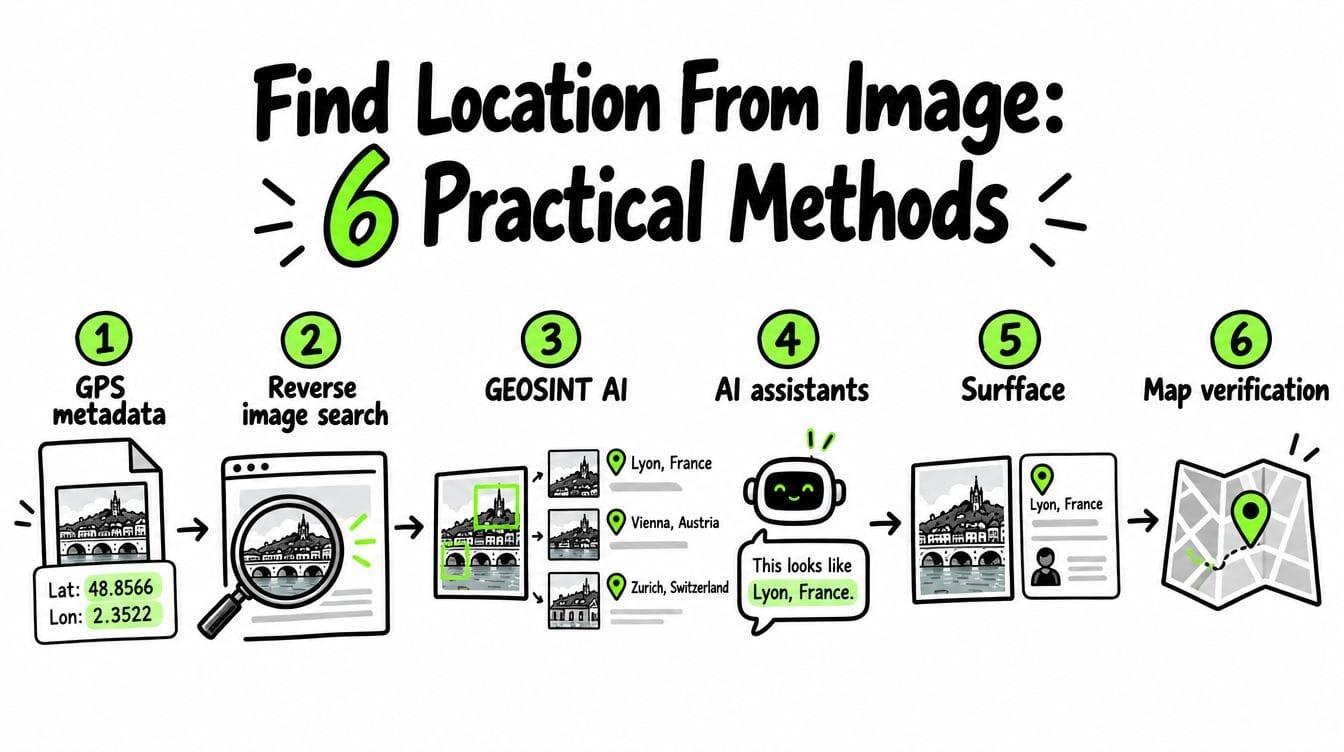
Use Surfface when all you have is a face. It combines its own face index with Google Images, Yandex Images and specialized face searches. It is especially strong for U.S. investigations, including public-record sources such as mugshots and registered sex offender registries where available.
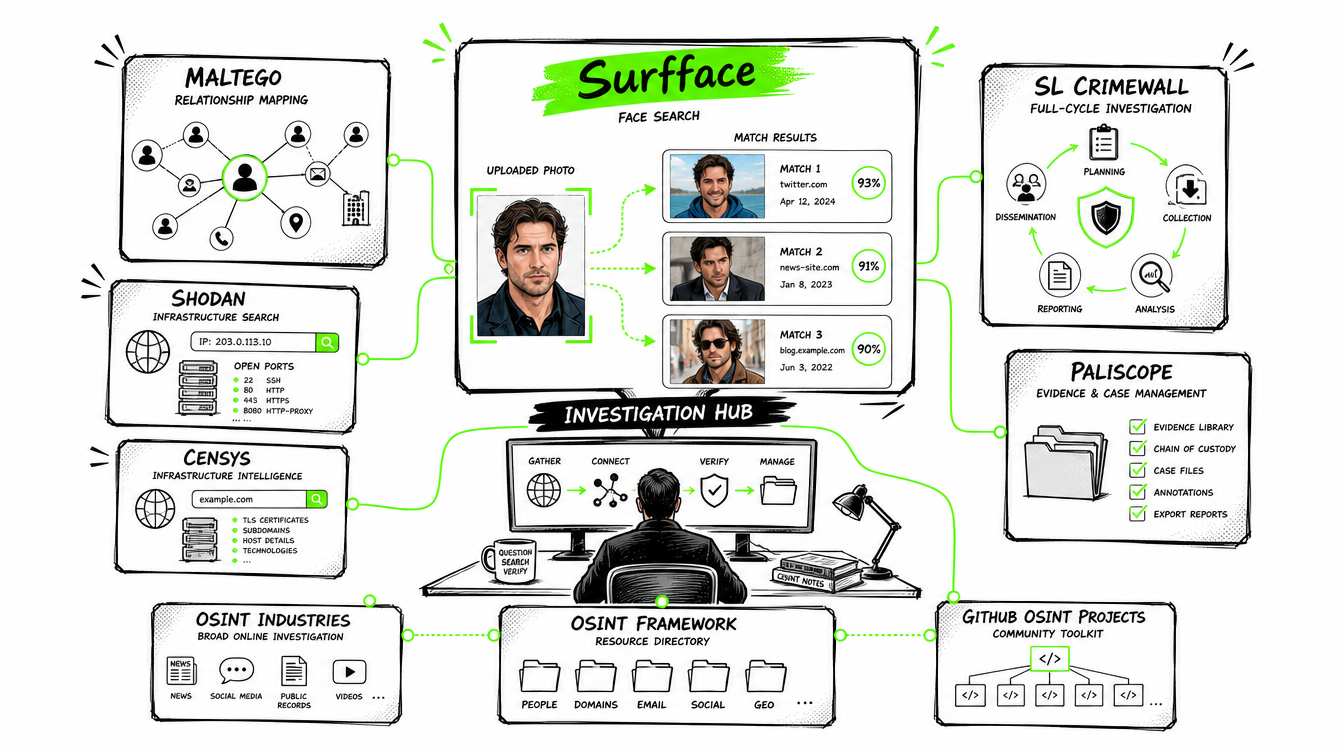
Use OSINT Industries for broader investigations across emails, phones, usernames, names, online accounts and selected crypto wallets. Getcontact, Truecaller and Spokeo help with phone and people searches. Maltego, SL Crimewall and Paliscope connect findings and manage complex cases. Shodan and Censys cover internet infrastructure while SpiderFoot, theHarvester, Sherlock and Maigret support more technical workflows. The OSINT Framework helps investigators choose the right tool for the clue they already have.
What are OSINT tools?
OSINT stands for open-source intelligence. In this context, “open source” means information available from public or legally accessible sources. It does not necessarily mean free or open-source software.
An OSINT investigation may use:
- Search engines and public websites
- Social media profiles
- News reports and archived pages
- Public records
- Maps and satellite imagery
- Domain, IP and infrastructure data
- Email, phone and username lookup services
- Face and reverse image search
- Commercial databases
- GitHub tools and self-hosted software
The goal is not to collect as much information as possible. The goal is to answer a defined question and verify the answer through several independent sources.
Best OSINT tools compared
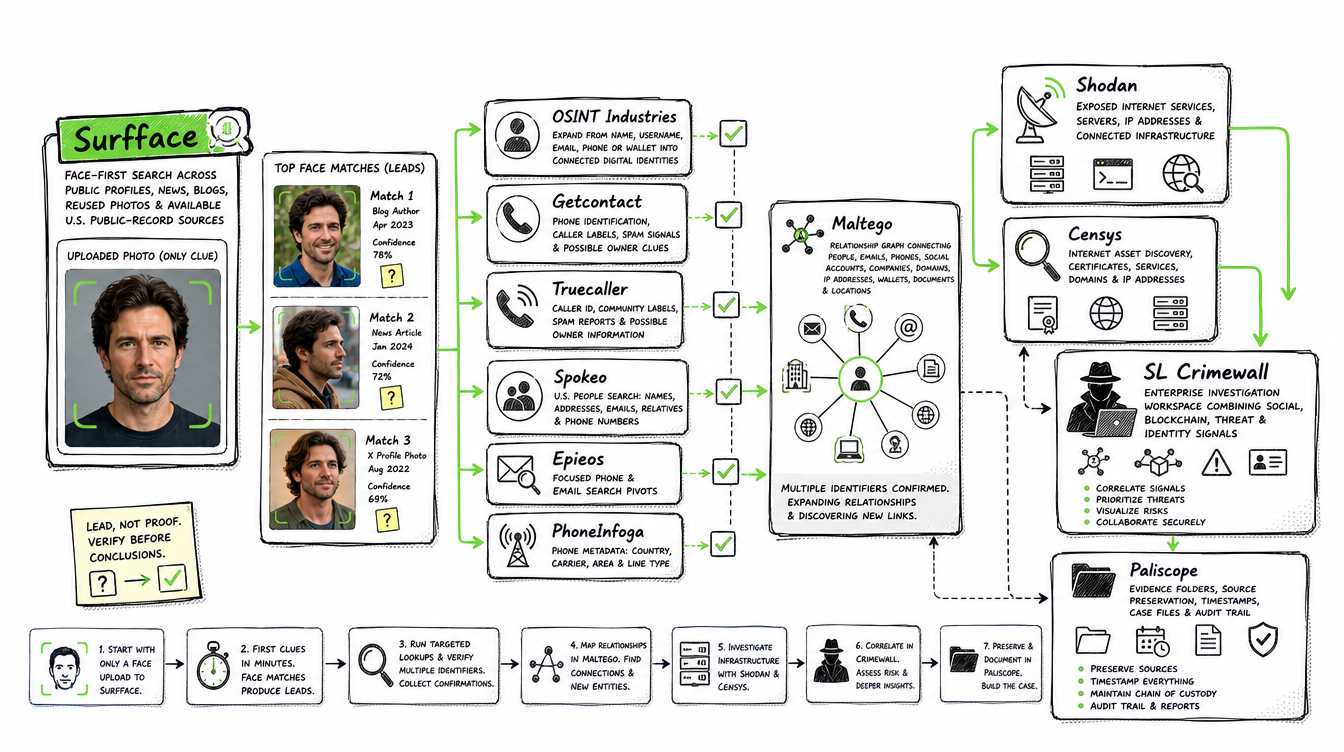
Surfface for face-first OSINT investigations
Most traditional OSINT tools expect a name, email address, username, phone number, domain or IP address. That creates a problem when your only clue is a face in a screenshot or profile photo.
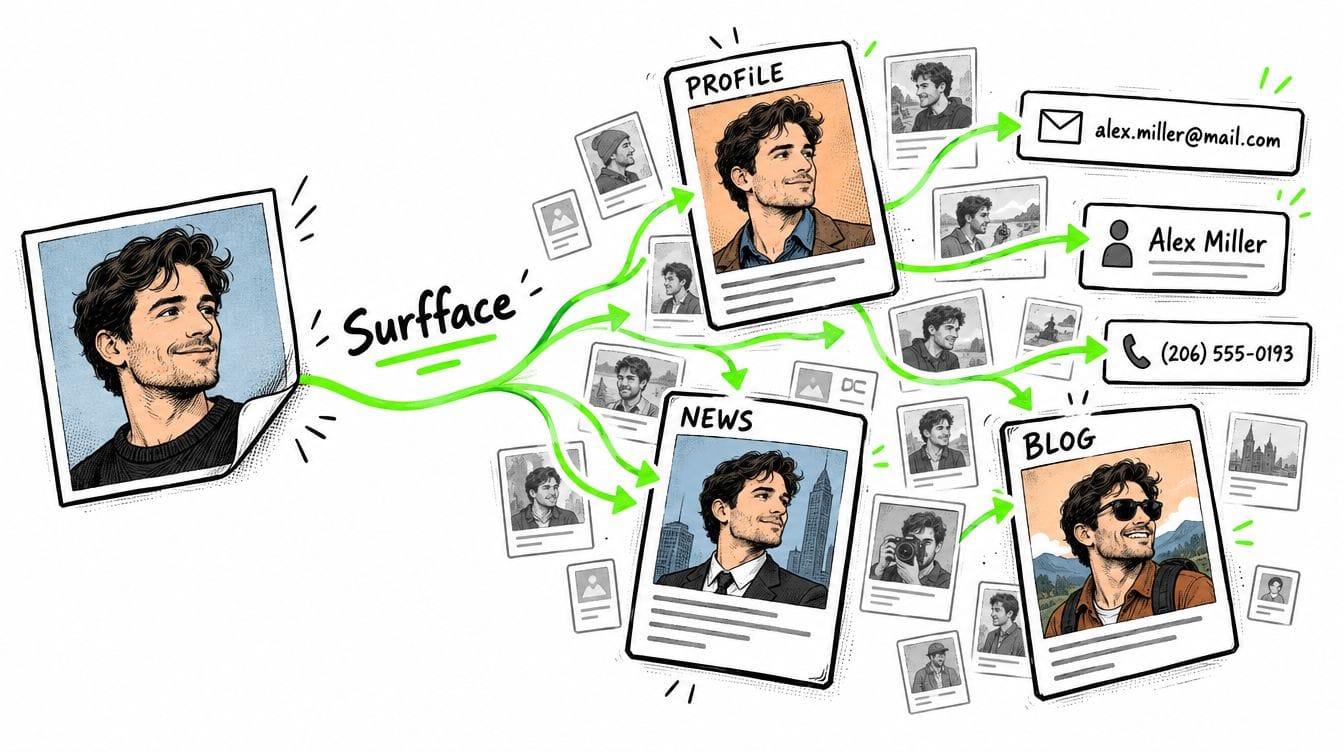
A face-first search can help turn that image into new leads such as:
- Public social profiles
- News articles and blog posts
- Reused profile photos
- Alternative names or usernames
- Public mentions
- U.S. mugshot or criminal-record candidates
- Registered sex offender registry candidates
Surfface is designed for this starting point. It combines its own face index with searches through external tools including Google Images and Yandex Images. It can therefore act as an entry point to a broader investigation rather than as an isolated face matcher.
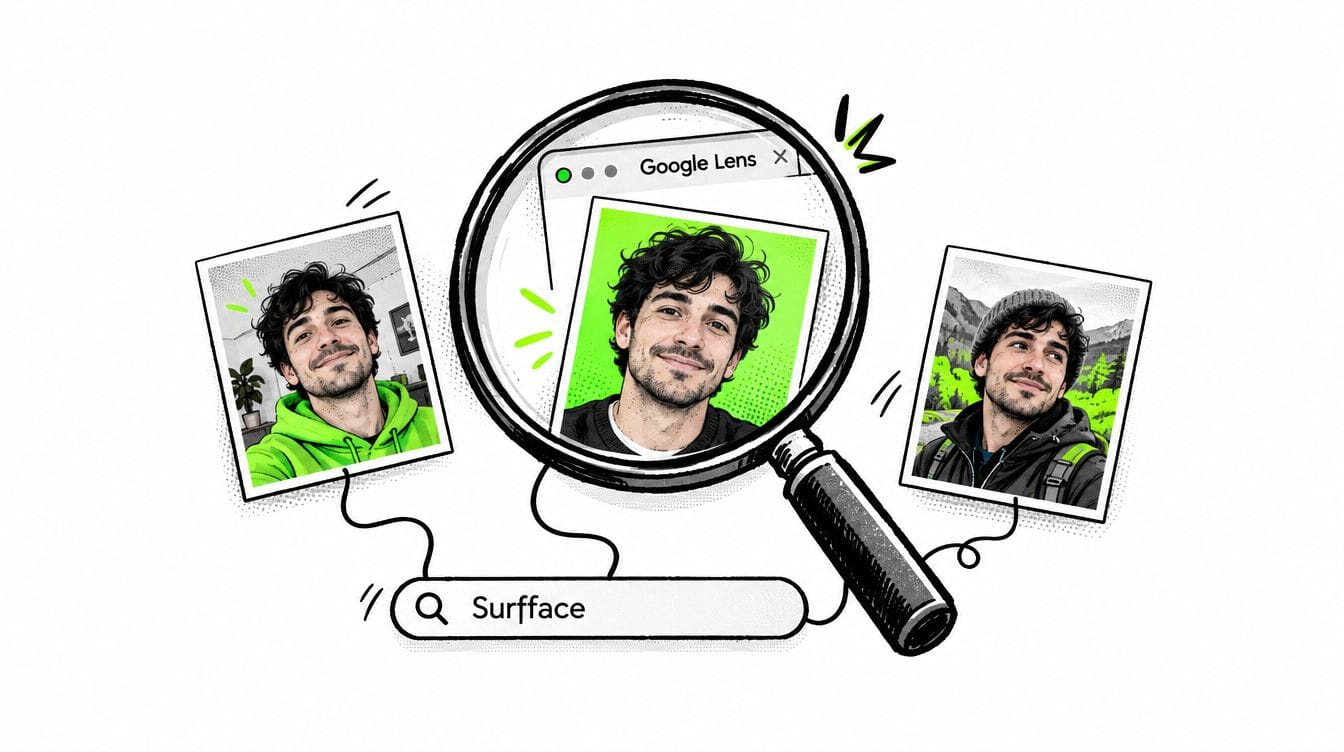
This is also what separates it from a basic reverse image search. Google Lens or TinEye may find the same image or a modified copy. A face search attempts to find the same person in different photos with different backgrounds, crops, hairstyles or camera angles.
Compared with PimEyes and FaceCheck ID, Surfface is positioned more strongly for U.S. investigations. Its specialized U.S. pipelines include public-record sources related to mugshots, criminal records and registered sex offender registries where available.
A face match is a lead. It is not proof that two people are the same person.
Maltego OSINT tools for mapping relationships
Maltego is one of the best OSINT tools for investigations involving many people, accounts, companies, domains or infrastructure assets.
Its core value is link analysis. Instead of keeping findings in dozens of browser tabs, investigators place entities on a graph and map the relationships between them.
Typical Maltego entities include:
- People
- Email addresses
- Phone numbers
- Social accounts
- Companies
- Domains
- IP addresses
- Cryptocurrency wallets
- Documents
- Locations
Maltego Transforms take one entity and search for connected information. For example, a domain can be transformed into DNS records, IP addresses, certificates, email addresses or related infrastructure.
The Maltego Transform Hub provides connectors to external data providers. Some are free while others require separate accounts, API keys or paid subscriptions. Maltego therefore works best as an investigation interface rather than as one universal database.
Use Maltego when:
- You have several confirmed identifiers.
- Connections matter more than individual search results.
- You need to visualize a company, fraud ring or infrastructure cluster.
- Several investigators need to understand the same case.
- You want repeatable pivots between different data providers.
Do not start with Maltego merely because it looks powerful. A direct lookup in Surfface, Epieos or Shodan may produce the first useful identifier faster. Move to Maltego when the investigation begins producing relationships that are difficult to track manually.
Shodan and Censys for infrastructure OSINT
Shodan is a search engine for internet-connected devices and services. It indexes information exposed by servers, routers, webcams, databases, industrial systems and other networked devices.
Investigators use Shodan to answer questions such as:
- Which services are exposed on an IP address?
- What software or server banner is visible?
- Does an organization have forgotten internet-facing assets?
- Is a suspicious server associated with other infrastructure?
- Is a known technology visible across a group of hosts?
Shodan is useful when an investigation moves from a person or company to a website, server or suspicious online service.
Censys covers a similar category but is often used for broader internet mapping, certificate analysis, attack-surface discovery and threat hunting. It provides continuously updated visibility into global internet infrastructure.
A common workflow is:
- Identify a suspicious domain.
- Check its DNS records and hosting.
- Search the IP in Shodan and Censys.
- Review exposed services, certificates and related hosts.
- Search for reused infrastructure or registration patterns.
- Add confirmed relationships to Maltego or a case platform.
Only investigate systems you are legally authorized to assess. Finding an exposed service does not authorize access to it.
SL Crimewall for full-cycle enterprise investigations
SL Crimewall by Social Links is a professional OSINT platform built for extracting, analyzing and visualizing information from many source types.
Social Links states that Crimewall uses more than 1,500 proprietary search methods across over 500 sources including social media, messengers, blockchains and dark web sources.
Crimewall is useful for:
- Organized crime investigations
- Fraud and identity investigations
- Cryptocurrency tracing
- Social media intelligence
- Threat intelligence
- Corporate security
- Large multi-source cases
Unlike a small lookup tool, Crimewall is designed to cover a larger portion of the intelligence cycle. It helps teams extract data, structure findings and visualize connections.
Its main limitation is accessibility. It is an enterprise product rather than a lightweight tool for occasional searches. Smaller teams may find that Maltego combined with several direct services provides enough functionality at a lower cost.
Paliscope for evidence and case management
Discovery is only one part of professional OSINT. Investigators must also preserve evidence, document where it came from and explain how conclusions were reached.
Paliscope focuses on this part of the workflow. Its products are designed to search, analyze and document investigative information in structured cases. Paliscope also offers on-premise solutions for organizations that require stronger control over sensitive investigation data.
Paliscope is a strong fit when:
- Several analysts work on one investigation.
- Evidence must be handed to another team.
- Collection dates and source context matter.
- Reports need a clear audit trail.
- Sensitive case data should remain on organizational infrastructure.
Maltego is usually stronger for flexible graph exploration. Paliscope is often more attractive when defensible evidence handling and case structure are the priority.
OSINT Industries for comprehensive online investigations
OSINT Industries should not be treated as only an email or phone lookup service. It is a broader OSINT investigation platform built to uncover and connect digital identity information.
Investigators can start with an email address, phone number, username, name or selected cryptocurrency wallet. The platform then brings related information into one place so users can cross-reference accounts, identifiers and digital-profile signals. Its official search documentation supports email, phone, username, name and wallet inputs.
OSINT Industries is useful for:
- Connecting usernames with related online accounts
- Expanding an email or phone number into additional identifiers
- Investigating digital identities across several platforms
- Examining selected cryptocurrency wallets and blockchain-related leads
- Creating a fuller profile from several connected data points
- Moving from one identifier to the next without running every lookup manually
Its role overlaps partly with Maltego but the two tools are not identical. OSINT Industries is designed to retrieve and consolidate subject data quickly. Maltego is stronger when investigators need to build custom graphs, combine many providers and visually explore relationships.
A practical workflow might begin with a Surfface face match. Once the investigator discovers a possible name, username, email address or phone number, that identifier can be searched in OSINT Industries to reveal related accounts or wallet leads. Confirmed entities can then be transferred into Maltego, Crimewall or Paliscope for deeper analysis.
Best OSINT tools for phone numbers
Phone-number investigations should usually begin with specialist caller-identification and reverse-lookup services rather than a full enterprise platform.
Getcontact is useful for caller identification, number searches, user-generated tags, trust signals and spam reports. Its professional product also provides phone-number searches and access to tags and trust scores. Because many labels are community-generated, they should be treated as clues rather than verified identities.
Truecaller provides reverse phone lookup, caller identification, business identification and spam or scam warnings. Its results can help an investigator understand how a number is commonly identified and whether other users have reported suspicious activity. Names and classifications should still be independently confirmed.
Spokeo is useful when a phone number needs to be connected with broader U.S. people-search information. It can complement caller-ID services with possible names, addresses, email addresses, relatives and other public or commercially aggregated records. Results may be incomplete, outdated or associated with the wrong person so important findings require verification.
Epieos can provide additional phone and email pivots while PhoneInfoga is useful for technical metadata and search-engine queries.
A practical phone workflow is:
- Normalize the number into its full international format.
- Search it in Getcontact and Truecaller.
- Compare caller names, tags and spam reports.
- Run a U.S. people search through Spokeo when relevant.
- Use OSINT Industries for broader account and identity discovery.
- Check Epieos or PhoneInfoga for additional pivots.
- Verify the owner through independent profiles, official records or direct contact.
Best OSINT tools for email addresses
An email address can reveal usernames, account-registration signals, public profiles, breach exposure and related contact details.
Use OSINT Industries when the goal is a broad investigation across linked accounts and identifiers. Use Epieos for a focused reverse email search. Use Holehe when you need technical account-registration signals from supported websites. For U.S. consumer and people-search context, Spokeo may connect an email address with possible names, phone numbers, locations or other records.
No single result proves ownership. Shared email addresses, recycled phone numbers, common usernames and outdated commercial records can all produce false associations. Confirm important links with at least one independent source.
GitHub OSINT projects: Powerful but not always convenient
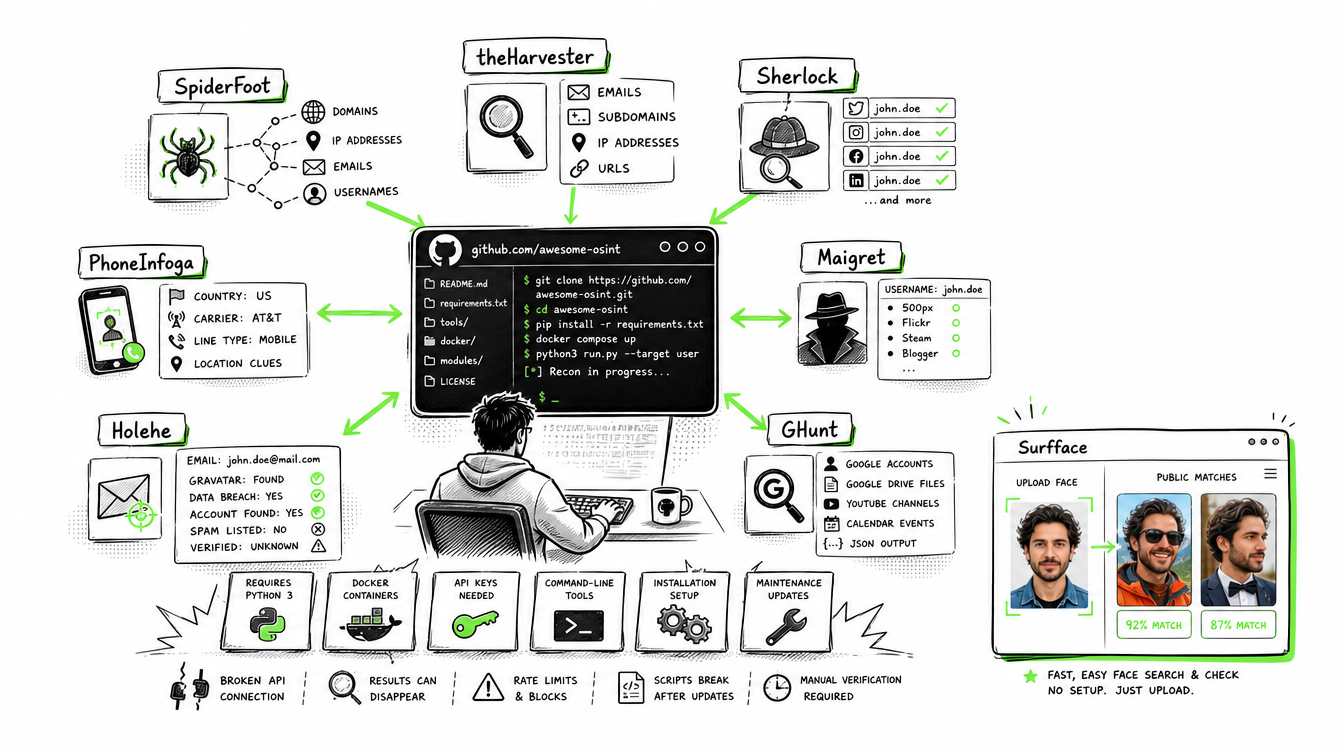
Some of the best OSINT tools are GitHub projects. They can be free, flexible and transparent. They may also require Python, Docker, command-line knowledge, API keys and regular maintenance.
This distinction matters because many investigators prefer a ready-to-use browser service.
SpiderFoot
SpiderFoot automates OSINT collection across many data sources. It accepts targets such as domains, IP addresses, email addresses and usernames and then runs configured modules to find related information. It includes a web interface but still requires installation and setup.
Best for: automated broad reconnaissance and attack-surface mapping.
theHarvester
theHarvester collects names, emails, IP addresses, subdomains and URLs from public sources. It is commonly used during the early reconnaissance stage of security assessments.
Best for: quickly mapping a domain’s external footprint.
Sherlock
Sherlock searches for the same username across more than 400 social networks. It is fast and easy to understand but every result must be checked manually because common usernames can belong to unrelated people.
Best for: first-pass username discovery.
Maigret
Maigret also investigates usernames but supports a broader set of sites and can extract more profile details. The project describes coverage of more than 3,000 sites.
Best for: deeper username investigations and structured reports.
PhoneInfoga
PhoneInfoga collects basic phone metadata such as country, area, carrier and line type. It also provides configured search pivots that may help identify additional context. The project warns that it does not automate every part of phone-number investigation.
Best for: phone metadata and manual follow-up searches.
Holehe
Holehe checks whether an email address appears to be registered with supported online services. It uses account-recovery behavior and is designed not to alert the target email.
Best for: discovering possible account-registration signals from an email.
GHunt
GHunt is a technical framework for investigations involving Google-linked identifiers and artifacts. It supports command-line use, JSON export and Python integration.
Best for: cases centered on Google accounts or related public artifacts.
GitHub tools are valuable but fragile. Websites change their interfaces, APIs disappear and account-recovery behavior is updated. A script that worked last month may return incomplete results today.
What is the OSINT Framework?
The OSINT Framework is a categorized directory of OSINT resources. It helps researchers choose a tool based on what they already know about a target.
Its categories cover areas such as:
- Usernames
- Email addresses
- Phone numbers
- Social networks
- Domains and IP addresses
- Images
- Public records
- Transportation
- Maps
- Archives
- Cryptocurrency
The OSINT Framework focuses mainly on tools that provide at least some free functionality. Some listed resources still require registration or paid access.
The important distinction is that the OSINT Framework does not perform the investigation. It points you toward services that might.
Bellingcat’s Online Investigation Toolkit is a useful alternative. It includes maintained descriptions, use cases and limitations for tools covering maps, satellite imagery, social media, archiving and multimedia verification.
Use these directories when you understand the task but do not yet know which specialist tool can perform it.
OSINT professional background verification methods
Effective OSINT professional background verification methods combine several tools and require independent confirmation.
A practical workflow looks like this:
1. Define the question
Do not begin with “find everything about this person.”
Use a focused question such as:
- Does this profile appear to represent a real person?
- Is this face connected to another public identity?
- Does the person’s claimed work history have public support?
- Are several accounts controlled by the same apparent operator?
- Is a business connected to suspicious domains or infrastructure?
2. Start with the strongest seed
Use the most reliable clue you possess:
- Photo: Surfface
- Email: Epieos, OSINT Industries or Holehe
- Phone: OSINT Industries, Epieos or PhoneInfoga
- Username: Sherlock or Maigret
- Domain: theHarvester, SpiderFoot, Shodan or Censys
- Complex entity list: Maltego, Crimewall or Paliscope
3. Generate candidate identifiers
Collect possible names, usernames, emails, domains and organizations. Keep unconfirmed candidates separate from verified identifiers.
4. Corroborate every important claim
A social profile alone is weak evidence. Look for agreement between several sources such as:
- Repeated face matches
- Consistent employment dates
- Matching usernames
- Shared websites or contact information
- Archived pages
- Official company records
- Reliable news reports
- Government sources
5. Build a timeline and relationship map
Use Maltego, Crimewall, Paliscope or a structured spreadsheet to record dates, sources and relationships.
6. Preserve source context
Save the page address, access date, screenshot and relevant surrounding text. A cropped screenshot without source context is difficult to verify later.
7. Report confidence rather than certainty
Use labels such as:
- Confirmed
- Strongly supported
- Possible
- Unverified
- Contradicted
This prevents an attractive theory from becoming an unsupported conclusion.
OSINT findings should normally be treated as investigative leads. In the United States, reports used for employment, housing, credit or insurance decisions may fall under the Fair Credit Reporting Act and require compliant procedures.
Free, commercial and restricted OSINT tools
OSINT tools generally fall into four access categories.
- Public browser tools
Examples include OSINT Framework, Shodan Search, Epieos and many public-record portals. These are easy to access but often limit searches, details or exports. Surfface also provides free public searches without verification or registration. - Commercial investigator services
Examples include Surfface, OSINT Industries and paid Maltego products. These reduce technical work and provide faster access to organized results. - GitHub and self-hosted projects
Examples include SpiderFoot, Sherlock, Maigret, theHarvester, PhoneInfoga, Holehe and GHunt. They offer more technical control but require installation and maintenance. - Enterprise and restricted systems
Crimewall, Paliscope and advanced investigation platforms are often sold to law enforcement, intelligence, defense and corporate security teams.
Some data providers, connectors and government systems are available only to authorized organizations. A tool interface may be commercially available while particular datasets still require separate credentials, contracts or legal authority.
Claims that a service accesses “law-enforcement databases” should be treated carefully. Most public OSINT products search public information or commercially licensed datasets. They do not provide unrestricted access to confidential police, intelligence or government systems.
Final takeaway
The best OSINT tools depend on the first reliable clue.
A domain should lead you toward Shodan, Censys or theHarvester. An email or phone number should lead you toward OSINT Industries or Epieos. A complex network of people and organizations belongs in Maltego, Crimewall or Paliscope.
A face photo requires a different starting point.
Surfface is built to bridge that gap. It can turn a face into public profile, image and U.S. public-record leads that can then be verified with other OSINT tools. When an investigation begins with a screenshot rather than a name, that face-first step may be the only practical way to begin.
Start with the seed you have. Confirm every pivot. Document the evidence and never let one tool make the final decision.

Stan leads product marketing at Surfface, bringing a mix of experience in OSINT and private investigations, along with expertise in digital marketing and product management.