Google Dorks for OSINT: Operators, Examples and Tools
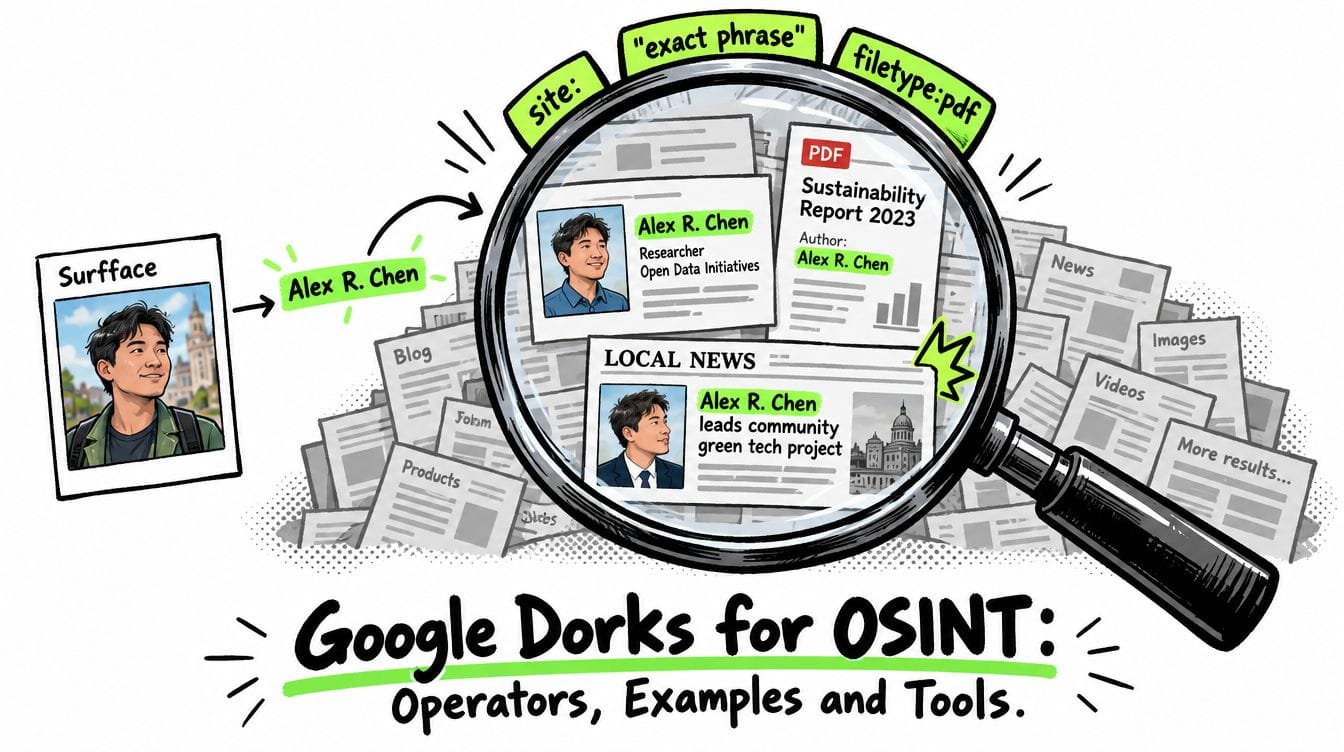
Google dorks for OSINT are targeted searches that combine keywords with operators such as site:, quotation marks and filetype: to find public information more precisely. Use them to discover profiles, documents and mentions then verify the original sources. If you only have a face photo, start with Surfface to find possible matches and use any verified names or usernames to guide your Google searches.
What is a Google dork?
A Google dork is a search query built to narrow where Google looks or what it returns. Google dorking is the practice of using these queries. OSINT, short for open-source intelligence, turns publicly available information into assessed findings through collection, context and verification.
An ordinary search might be:
Northstar Foundation annual reportA focused version could be:
site:example.org "annual report" filetype:pdfThis asks for PDF results on a specified domain containing the phrase “annual report.” Replace example.org with the organization’s actual website.
Dorking refines searches against Google’s index. It does not search every page on the internet or unlock private accounts.
Essential Google dorks for OSINT: operator reference
Start with the operators Google explains in its search refinement documentation and Advanced Search interface.
Write OR in uppercase. Keep operators attached to their values: site:example.org, not site: example.org.
Numeric ranges and date filters serve different purposes. 2020..2025 searches for numbers in that range. It does not establish when a page was published. Use after: and before: for date filtering then check dates on the source itself.
Title, URL and text filters
These familiar Google dorks target particular parts of a result:
Google’s current help is less explicit about these exact syntaxes than its core operators. Treat them as query refinements to check against actual results. Advanced Search also provides controls for where terms appear.
For complex queries, repeated single-field operators make your intent clearer:
site:example.org intitle:annual intitle:reportAvoid assuming allinurl: checks an exact URL string or that Google handles every long operator combination as strict Boolean logic.
Image-specific operators
Google documents two additional operators for Google Images:
imagesize:1200x800targets exact image dimensions.src:https://example.org/photo.jpgfinds pages referencing that image URL in an image’ssrcattribute.
Neither performs face recognition. An image may appear under a different URL or in a resized version.
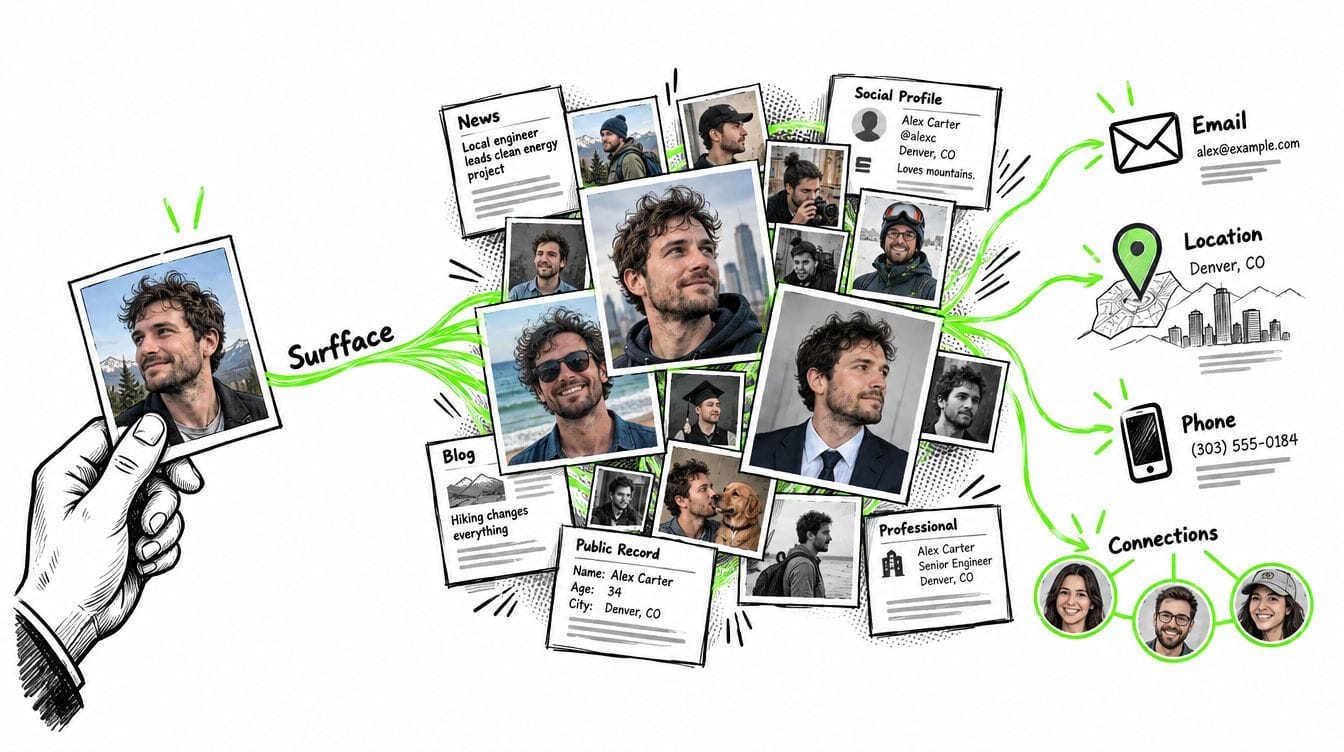
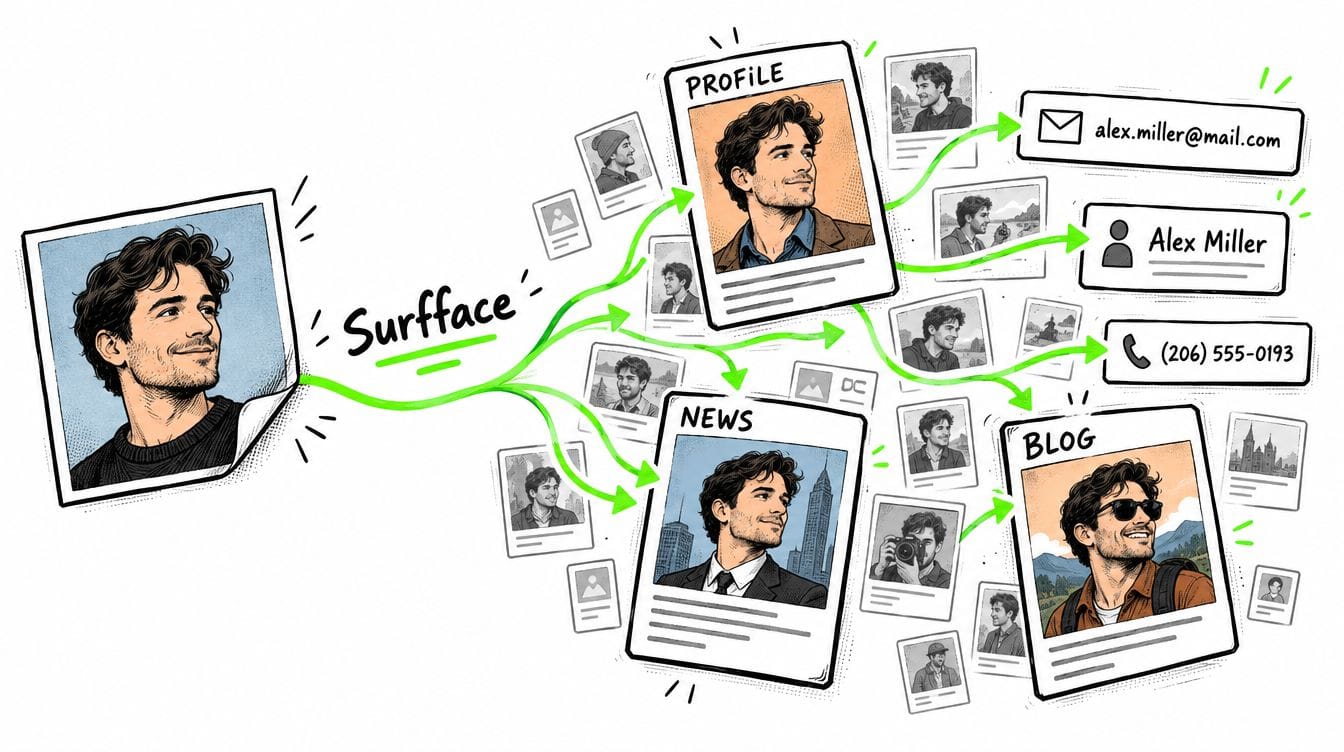
To find a person from a photo, start with Surfface. Its face search orchestrator brings together an extensive proprietary index with third-party image and face search engines including Google Lens. One photo lets you explore multiple search methods and sources in one place.
Practical Google dorks: copy-ready OSINT examples
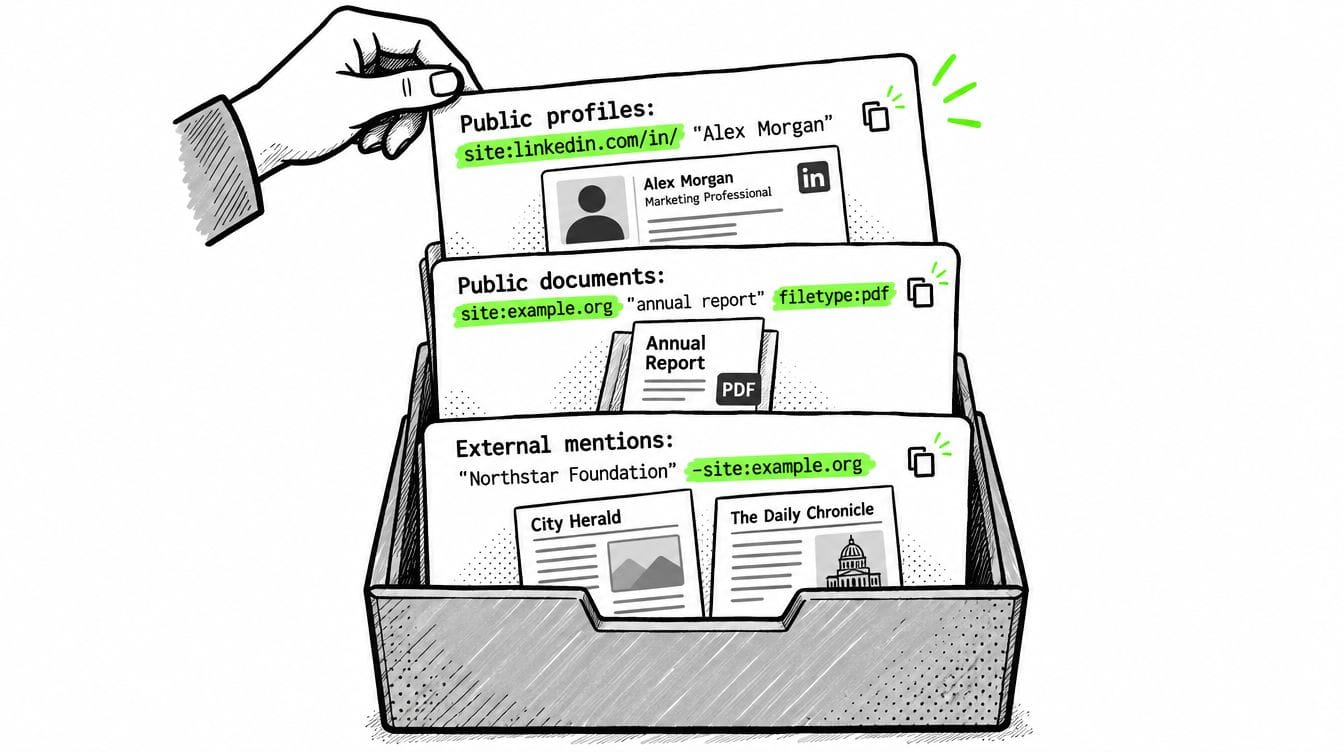
Replace the illustrative identifiers below with relevant research details.
1. Find public professional profiles
site:linkedin.com/in/ "Alex Morgan" "Northstar"
site:example.org "Alex Morgan" biography
site:example.org inurl:team "Alex Morgan"
Combine a name with an employer, profession or other corroborated clue. A common name alone creates too many collisions.
If a profile is missing, search the employer’s website for speaker biographies, staff pages and published interviews.
2. Trace a public username
"northstar_research"
site:github.com "northstar_research"
site:instagram.com "northstar_research"
"northstar_research" -site:instagram.com
An exact username can reveal mentions outside its original platform. However, the same handle on two websites does not prove common ownership. Compare linked websites, biography details and chronology.
3. Find public mentions of an email address
"[email protected]"
"[email protected]" -site:example.org
site:example.org "press" "contact"
This can locate published contact details, event announcements and attribution. It cannot tell you which private accounts use the email address.
Try the exact address first. If it fails, search the organization plus the contact’s role. Google may normalize punctuation so quoted email matches still require inspection.
4. Locate reports and public documents
site:example.org "annual report" filetype:pdf
site:example.org "grant recipients" filetype:xlsx
site:example.org "conference" filetype:pptx
Useful formats include PDF, DOCX, XLSX and PPTX. Search each separately rather than stacking incompatible file-type requirements.
A document can contain older names, affiliations or project details absent from the current website. Record its reporting period separately from its upload date.
5. Research organizations beyond their own websites
"Northstar Foundation" -site:example.org
site:gov "Northstar Foundation" grant
site:edu "Northstar Foundation" partnership
"Northstar Foundation" "Alex Morgan"
External mentions can help assess claims made on an organization’s own pages. A .gov or .edu restriction narrows the source pool but does not guarantee that a result supports your conclusion.
6. Explore news and chronology
"Northstar Foundation" after:2024-01-01 before:2025-01-01
"Northstar Foundation" "appointed"
"Northstar Foundation" "resigned"
Use separate searches for specific events. Date filters can surface useful candidates but do not reliably establish the event date or the first appearance of a claim.
7. Investigate copied profile text
"researching coastal ecosystems since 2018"
"researching coastal ecosystems since 2018" -site:example.org
Search a distinctive sentence from a public biography. Reused wording can reveal syndication, copied profiles or impersonation leads. It is a reason to investigate rather than proof of deception.
8. Combine alternatives carefully
"Northstar Foundation" (grant OR donation)
"Northstar Foundation" (site:gov OR site:edu)
Parentheses express intended grouping. If results seem inconsistent, split the alternatives into separate searches. Small queries make it easier to identify which restriction removed a useful result.
How to build better Google dorks
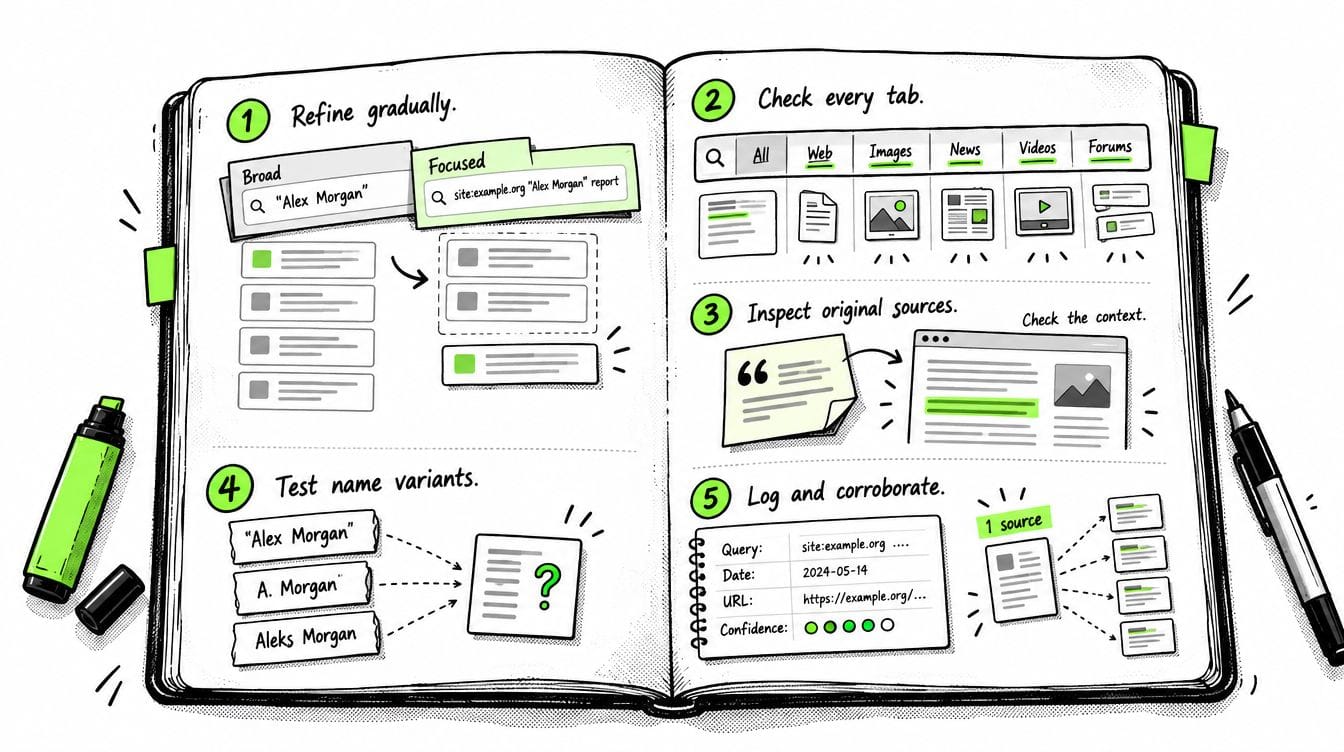
Start broad then narrow one step at a time
Begin with one reliable identifier. Add a domain restriction, a contextual term then a document format only when necessary.
Keep both the broad and narrow versions. Every added restriction creates another opportunity to miss relevant information.
Search more than the All tab
Review relevant Web, Images, News, Videos and Forums filters. Useful material may surface differently across them. Google says available filters and their order depend on the query.
Follow promising results to their original pages.
Quotes are useful but not forensic matching
Google explains that quoted terms can match metadata, image descriptions, URLs and content that is not immediately visible. Pages may also have changed since Google indexed them.
If browser Find does not locate the phrase, inspect the relevant page sections or document. Do not treat a search snippet as a verified statement by the person you are researching.
Try variants without weakening identity checks
Search initials, transliterations, former organization names and spelling variants in separate queries. A quoted full name can miss a page using an abbreviated name.
Broaden discovery while keeping verification strict. A similar name plus a nearby location still may describe someone else.
Keep a search log
Record the query, search date, source URL, relevant passage and confidence level. Separate facts stated by the source from your own inference.
Five sites repeating one press release provide one underlying claim. Look for independent corroboration rather than counting URLs.
Google dorking limitations and outdated tricks
No results means no results returned for that query. It does not mean no public information exists. Google states that site: searches are not exhaustive even for indexed URLs.
Other limitations deserve attention:
- Coverage: private pages, unindexed profiles and database entries accessible only through native search may be absent.
- Recency: indexed text can lag behind a changed or removed page.
- Context: a name can appear as an author, subject, commenter or unrelated mention.
- Dates: Google’s assessed document date can differ from publication and event dates.
- Overfiltering: an exclusion such as
-jobscan remove a useful biography mentioning a previous job.
Older lists also mix current features with retired or weakly documented syntax:
There is no permanent list of every useful Google dork. Operators are building blocks and queries are combinations tailored to a research question.
GitHub tools for Google dorking automation
Two projects illustrate different approaches. The assessment below draws on their documentation and issue reports rather than a hands-on benchmark.
Our practical recommendation: start with SiteDorks when the task is public profiles, organizational mentions or documents across known domains. Its category lists and custom site lists suit that workflow. Select a small relevant category rather than opening every available search.
pagodo serves a different purpose. Review its query list before use. Its issue tracker includes reports about installation problems and inaccurate database output. These reports are useful maintenance signals but do not establish that every installation fails.
Automated Google searches can trigger unusual-traffic checks. A blocked request must be logged as a collection failure rather than interpreted as an empty result set.
For broader research options, see our guide to the best OSINT tools.
Only have a photo? Start with face search
Google dorks work best when you have text identifiers. If all you have is a face photo, Surfface gives you a practical starting point.
Surfface is a face search orchestrator combining its own index with major search engines and third-party face and image search tools. It looks for possible matches across public social profiles, news, blogs and available U.S. public records including mugshots and registered sex offender registries.
Use this workflow:
- Upload a clear adult face photo and start a free search where available.
- Review possible matches. Similarity is a lead rather than proof of identity.
- Unlock promising results with paid credits to inspect source links and original context.
- Extract corroborated identifiers such as a public name, username or organization.
- Run targeted Google dorks to investigate those identifiers across additional sources.
If different pages use the same photo, investigate possible copying before assigning their claims to one person. Public records also require identity and context checks. A mugshot does not establish a conviction.
For complementary methods, explore our advanced image search techniques.
FAQ
A Google dork is a search query that combines keywords with operators to target particular sources, phrases or document formats. For example, site:example.org "annual report" filetype:pdf requests PDF results from that domain containing the specified phrase.
Google dorking searches Google’s index rather than the entire web. In OSINT, its value comes from finding relevant source material that you can inspect, contextualize and corroborate. A search result or snippet is a research lead rather than verified evidence.
The most useful operators are quotation marks for exact phrases, site: for source restrictions, the minus sign for exclusions, filetype: for documents, OR for alternatives and after: or before: for date filtering. The best combination depends on your research question and the identifiers you already trust.
Start with a distinctive name, username or phrase then add one restriction at a time. Keep a broader version of each query because strict filters can hide relevant material. Check dates on the original source because Google’s date filters do not establish when an event occurred.
No. Google dorks can surface indexed public profiles, posts and external mentions but cannot provide a complete account inventory. Coverage depends on platform access rules, indexing and how much searchable information a profile exposes. Private content and profiles requiring authentication may be unavailable.
Combine Google searches with the platform’s native search and other public-source methods. When the same username appears across platforms, corroborate ownership through linked websites, biography details and chronology. A matching handle alone does not prove that the accounts belong to the same person.
Google dorking uses text queries so a photo alone does not provide the identifiers these operators need. Start with Surfface to search for possible face matches across its own extensive index and third-party image and face search engines including Google Lens in one place.
If promising matches appear, use paid credits to unlock source links and inspect the original pages. Corroborate any names, usernames or affiliations before using them in Google dorks. A similar face or reused photo does not establish that every associated profile describes the same person.
SiteDorks builds queries across predefined or custom website lists and opens searches for browser review. It is useful for repeating public-source research across selected domains. pagodo retrieves Google Hacking Database queries and automates searches with a stronger focus on authorized defensive exposure assessments.
Review each project’s dependencies, query lists and current issue reports before use. Automation can encounter CAPTCHAs, request blocking or parsing failures. Record these as collection errors rather than empty results. Neither tool verifies identities or makes Google’s coverage complete.
A zero-result response can reflect an overly restrictive query, a spelling variation, unavailable content or a gap in Google’s index. Even site: searches do not necessarily return every indexed page. Operators can also narrow the search in ways you did not intend.
Check the syntax then remove one restriction at a time. Try unquoted terms, name variants, a broader domain scope and the source’s native search. For automated searches, confirm that the request succeeded and the response was parsed correctly. No results does not prove that the information or account does not exist.
No. Google retired cache: so it no longer retrieves Google’s cached version of a page. Tutorials recommending it for recovering deleted content are outdated.
For historical research, check a public web archive such as the Wayback Machine. Confirm the captured URL and timestamp then inspect what the snapshot actually preserves. Archived pages may omit images, scripts or dynamically loaded content. A capture shows what was preserved at that time rather than proving when a claim first appeared or whether it was accurate.

Stan leads product marketing at Surfface, bringing a mix of experience in OSINT and private investigations, along with expertise in digital marketing and product management.