Who Is This Person in the Photo? How to Find Out
Stanley Wiggins
October 14, 2026
5 min read
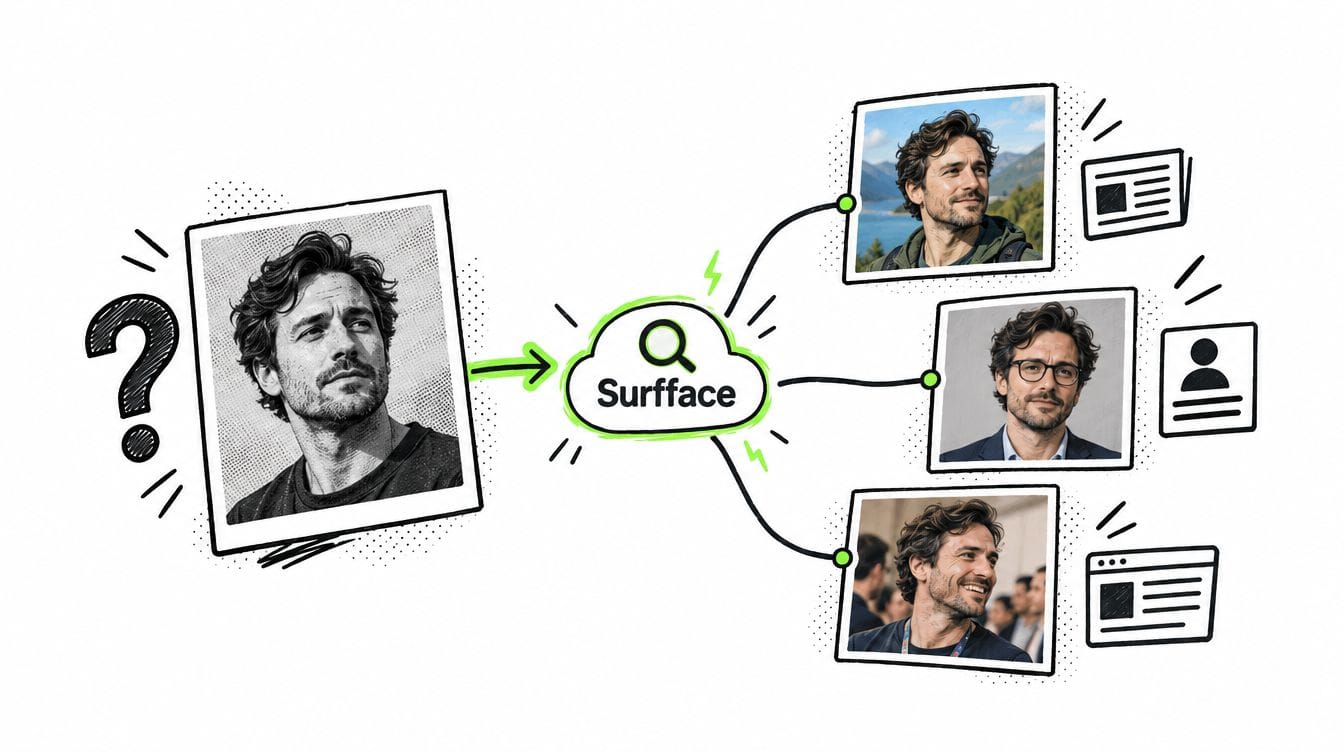
To answer “Who is this person in the photo?” start with a face search on Surfface. Its face search orchestrator combines an extensive proprietary index with third-party image and face search engines in one place. Review possible matches then verify names and details on the original pages. You can start free. If you see promising matches, unlock the results using paid credits to access the original sources and verify who is in the photo.
Why knowing who is in a photo can matter
A smiling profile picture tells you almost nothing about the person sending the messages. The face may be real while the name and story belong to someone else.
Consider these situations:
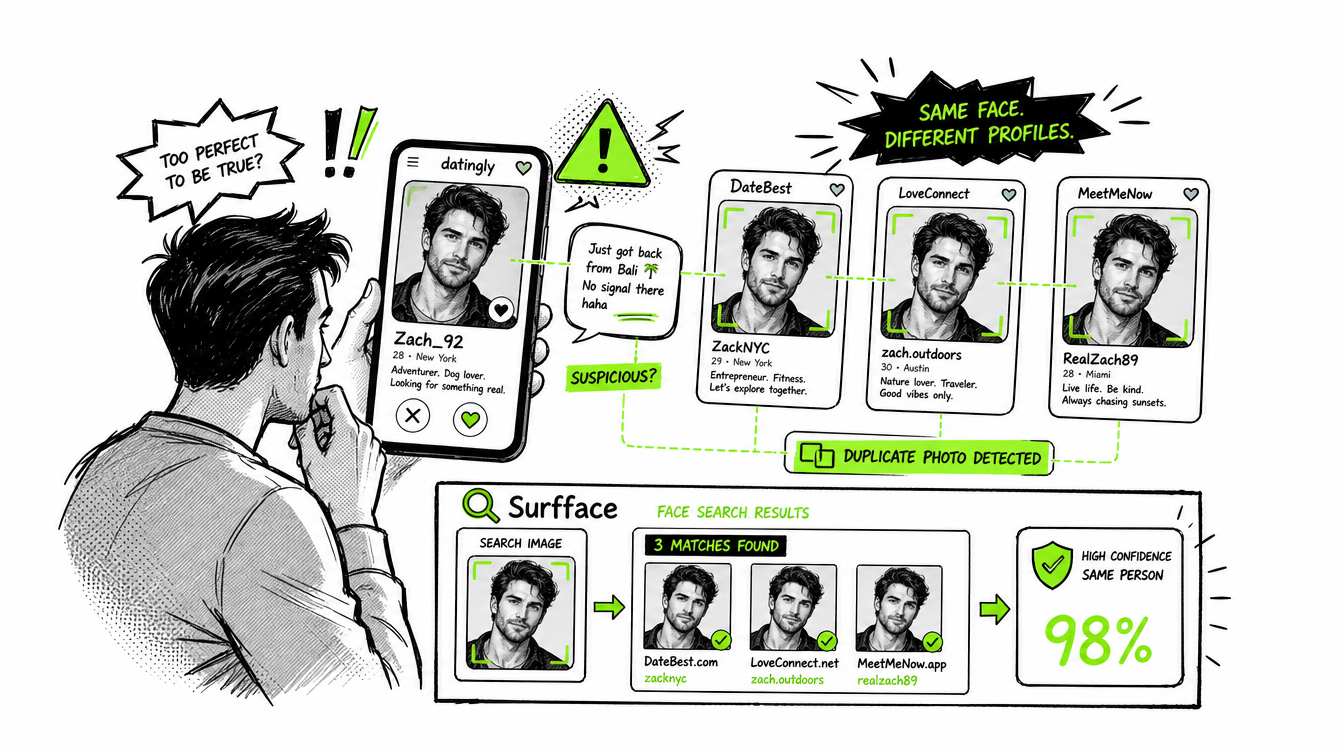
- The dating match with an emergency. You've been chatting for weeks. Suddenly they need money for a flight. A photo search might lead to a public profile under another name. The FTC recommends reverse image searches to spot conflicting profile details.
- The convincing investment contact. Someone with a polished headshot promises exceptional returns. Finding that portrait on an unrelated professional's website gives you a reason to question the pitch before sending money.
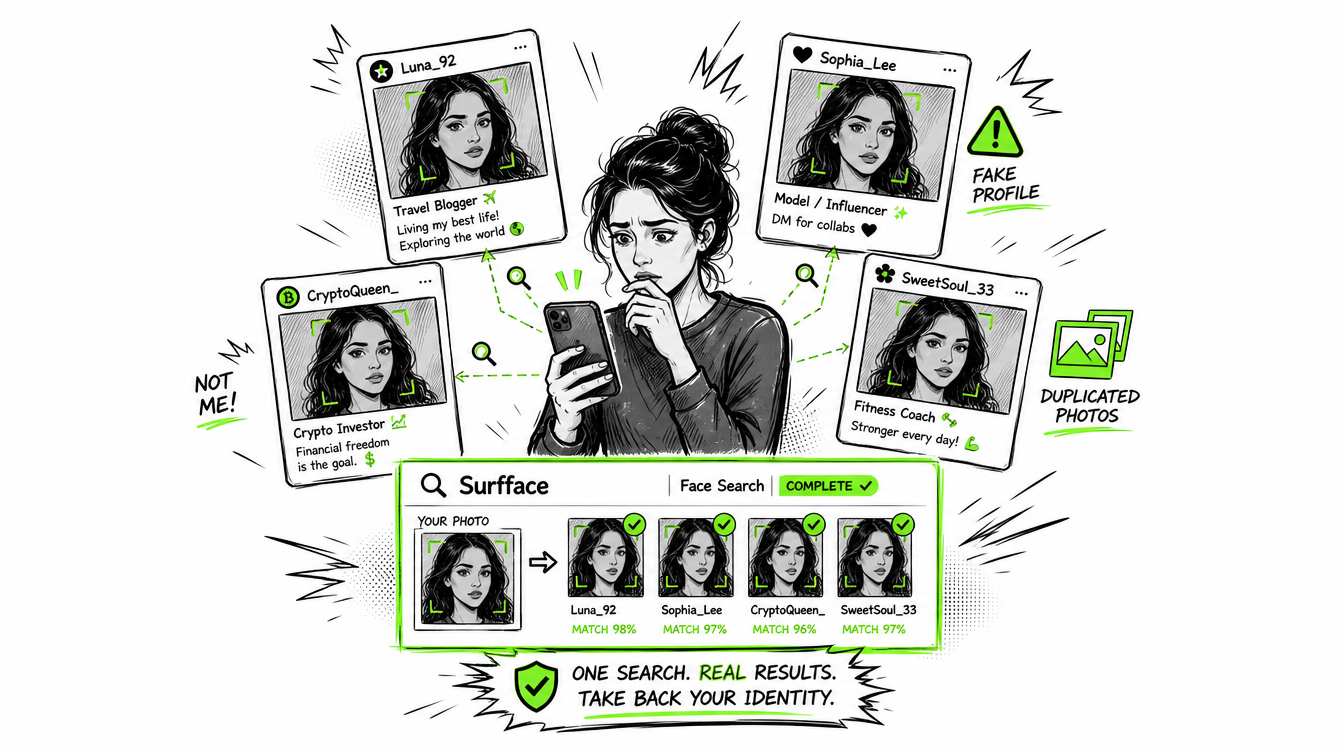
- The account using your face. A friend sends a screenshot of a profile you never created. Searching your photo can help uncover other public appearances and gather links for an impersonation report.
- The old acquaintance without a name. You have a conference photo but lost the person's contact details. A public profile match may provide a respectful way to reconnect.
These are examples of what a search can help investigate. Finding the person pictured does not establish who controls the account using their image.
For more on the first scenario, watch the FTC's short video.
Why Surfface is the best place to start your image search
When your question is about a person, Surfface offers a practical starting point:
One photo can open several search paths.
Surfface is a face search orchestrator. Under the hood, it brings together:
- Its own extensive index of images and public social profiles.
- Third-party image search engines.
- Third-party face search tools.
- Different retrieval methods including reverse image search, context-based discovery and facial recognition where permitted.
That combination matters because finding a copied headshot and finding the same person in a different photograph are different tasks. One search channel may uncover a reused image while another finds a public appearance with a different background or hairstyle.
Surfface searches across public sources including news, blogs, social profiles and available U.S. public records such as mugshots and sex offender registries. Search coverage depends on the sources available and your selected settings. Enable external-source searching when available to include third-party tools.
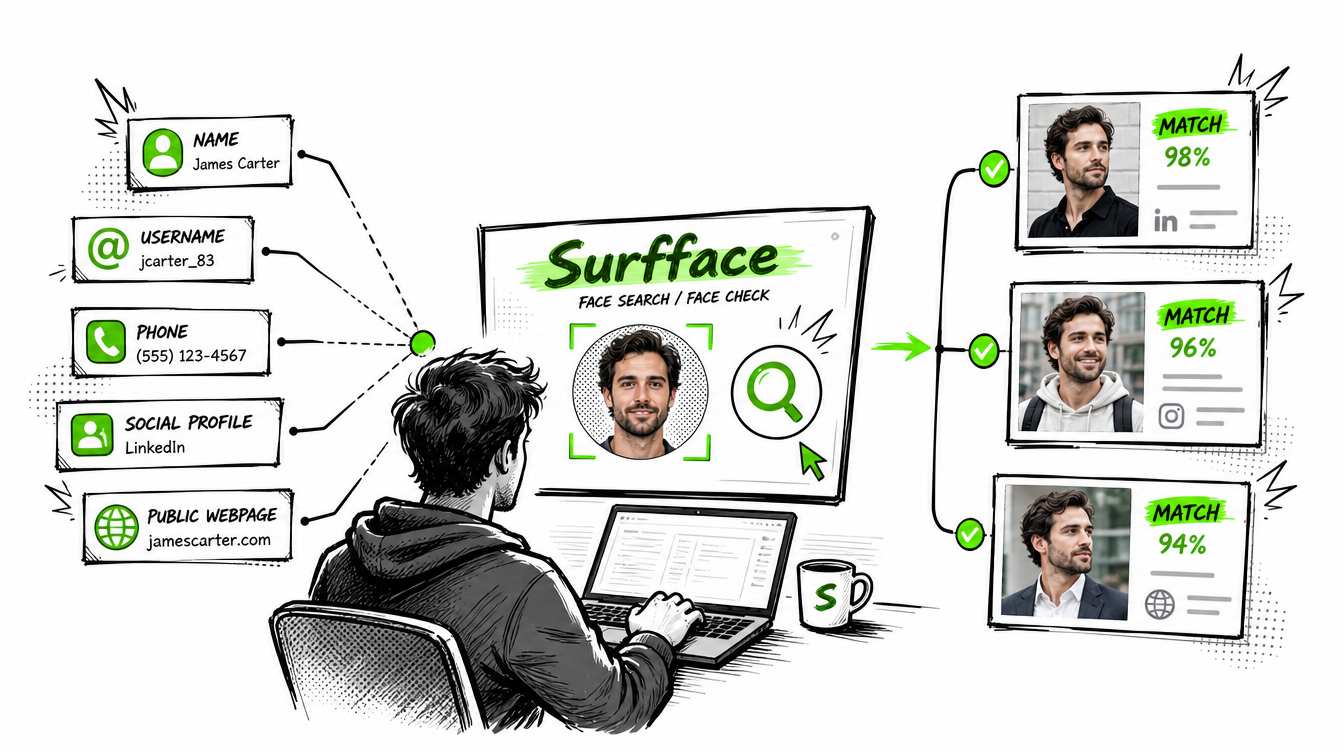
You don't need a name to begin. If a photo is your only clue, face search gives you a direct starting point. Surfface brings multiple tools together so you spend less time repeating uploads across separate services.
Read our guide to searching by face for more on this approach.
How to run a “who is this person” image search
1. Choose a photo that preserves the face
Use the clearest original image available. A screenshot can work but repeated screenshots often lose detail.
Crop a group photo to the adult you want to search. Keep the full face visible with a little surrounding space. Avoid beauty filters and AI face restoration because they can change the features you are trying to match.
Keep two versions: a face crop for person-focused searching and the full image for background clues.
2. Search with Surfface and review the preview
Upload the photo and run a search. Look at the possible matches before deciding whether to unlock source links.
Compare several photos when available. A resemblance in one tiny thumbnail is weaker evidence than consistent features across different images. A similarity score is a ranking signal, not proof of identity or a guaranteed probability that the match is correct.
If a result looks useful, unlock its sources and investigate the original pages. Our social media account finder guide explains how public profile discovery can help.
3. Turn a possible match into a verifiable lead
Check what the source actually says:
- Does a caption explicitly name the person pictured?
- Is the image attached to a personal profile or simply included in an article?
- Do the location, occupation and timeline fit what you already know?
- Can a separate credible source corroborate the connection?
A news page can mention several people. The first name on the page may refer to the writer or someone outside the photo.
Follow the evidence: photo → source page → identity claim → independent corroboration. Five websites copying one biography still provide only one underlying claim.
Free image search techniques to try alongside face search
f you want a “who is this person” image search free of charge, general image search tools can help find public clues. Their results may identify a source without identifying the person.
Google Lens: Follow Google's image search instructions to upload a file or paste an image URL. Search the full picture for context then try the face crop. You can also add descriptive text to refine the search.
Yandex Images: Yandex's documentation describes results containing exact copies and similar images. Treat each result as a candidate to inspect rather than an automatic identification.
Background clues: A conference banner or distinctive username may lead to a speaker page or public account. Search the exact wording. A generic shirt logo is usually a weaker clue.
What if you find no matches or conflicting names?
No results means the search did not find a useful match. It does not establish that the person is fake or has no online presence.
Try another unedited photo, a less aggressive crop or the full image. Private accounts, unindexed pages and poor image quality can limit discovery. NIST's face recognition evaluations document both missed matches and incorrect matches.
If the same face appears under different names, investigate before drawing a conclusion. Possible explanations include impersonation, an alias, a changed name or a mistaken match. Our online impersonation guide explains what to check next.
For public-record results, verify the identity and current record with the official source. A mugshot does not establish a conviction. Use Surfface for adults only where available and do not use it for credit, employment, insurance or tenant screening decisions.
Have a photo but no reliable name? Start your free Surfface search and see where the evidence leads.
FAQ
Sometimes. A clear photo can lead to public pages containing a name or profile. Success depends on image quality, public availability and search coverage. Verify any identity claim at its original source.
Google Lens and Yandex offer free image search options. Surfface offers limited free searches with match previews.
If you see promising matches, unlock the results using paid credits to access the original sources and verify who is in the photo. See Surfface pricing for current options.
Face-focused search can surface possible matches across different photographs. Reverse image search is also useful for finding copied or modified pictures. Results from either method need verification.
No. Someone can copy a real person's photos. A match helps you investigate the image's public appearances but does not authenticate the person messaging you.
Surfface searches publicly available sources and does not bypass private-account access controls. It cannot guarantee discovery of every profile or online appearance.

Stanley Wiggins
Stan leads product marketing at Surfface, bringing a mix of experience in OSINT and private investigations, along with expertise in digital marketing and product management.